Yep, we may get a tiny thank-you (read: commission) when you buy through
links on Gadgetspotr — not enough for a yacht, but enough to keep the lights (and
servers) on.
Learn more
20
Highlights
54
Differences
6
Reactions
0
Likes
Logitech G CLOUD
vs
Retroid Pocket 5:
20 Highlights & 54 Differences —
Which Delivers Superior Hardware Power?
Specs compared for both handhelds to help you choose your favorite. Let’s dive in!
Choosing the better handheld console? This comparison shows Logitech G CLOUD vs Retroid Pocket 5 side by side — from intended user, color options, portability focus & region compatibility to what users love.
Logitech G CLOUD vs Retroid Pocket 5: Portable Gaming Showdown
When it comes to handheld gaming devices that promise portability and impressive specs, the Logitech G CLOUD and the Retroid Pocket 5 are two noteworthy contenders. Both offer expandable storage options, cater to portable gaming enthusiasts, and are compatible with multiple global regions. They support emulators and provide excellent Bluetooth connectivity along with medium battery capacity features that should keep your gaming sessions going for hours. However, fundamental differences emerge in their intended users - Logitech G CLOUD is tailored for casual gamers seeking long battery life and community-driven features, while the Retroid Pocket 5 targets hardcore gamers craving higher processing power, customization, and accessory support.
Logitech G CLOUD: Effortless Portability and Endurance for Casual Gamers
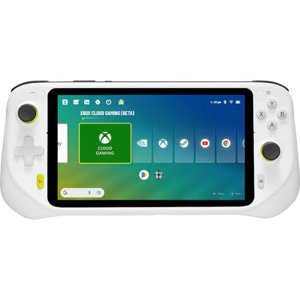
The Logitech G CLOUD weighs in at 1.02 lbs and emphasizes a balance of lightweight design and long-lasting performance. It stands out with an impressive 12-hour battery life, which is significantly longer than many competitors, allowing casual gamers to enjoy extended play without frequent recharges. Its low input and audio latency, combined with hardware DSP audio enhancements, contribute to an immersive gaming experience with crisp sound and responsive controls. This device offers a balanced performance mode that maintains steady graphical output suited for mid-tier games.
Additionally, the Logitech G CLOUD shines in social engagement with strong community features, including messaging, online multiplayer, and cross-platform play, making it ideal for gamers who enjoy interaction alongside gameplay. Security-wise, it offers dependable protection with secure boot, account protection, and privacy settings that reassure users concerned with data safety. The lack of an official accessory ecosystem reflects its focus on simplicity rather than extensive customization.
Retroid Pocket 5: Powerhouse Performance and Customization for Hardcore Users
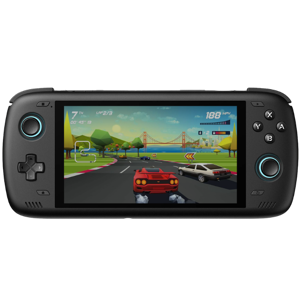
In contrast, the Retroid Pocket 5 comes in lighter at 0.62 lbs and smaller dimensions, enhancing its pocketability for on-the-go gamers who value compactness. What truly distinguishes this device is its robust gaming muscle: a 2.84 GHz CPU clock speed and a high-tier graphics performance geared to handle demanding titles efficiently. It's equipped with multiple performance modes, including a power-saving option, granting users the flexibility to optimize between power and performance.
The Retroid Pocket 5 also supports a vast accessory ecosystem and boasts modding capabilities, appealing to players who relish device personalization and community-driven enhancements. Its tempered glass protection adds durability, while the inclusion of video output support enables gamers to connect to larger displays. Expandable storage is also set higher in the Retroid Pocket 5, accommodating more extensive game libraries and multimedia content.
Though it offers shorter 8-hour battery life and less standby time compared to the Logitech, it's a tradeoff some users will gladly accept for superior power and a richer accessory environment. With backward compatibility with legacy titles and the ability to handle emulators effectively, the Retroid Pocket 5 is tailor-made for serious gaming.
Quick Take
The Logitech G CLOUD delivers a compelling package for casual gamers who prioritize battery endurance, solid community features, and seamless audio-visual immersion in a lightweight frame. On the other hand, the Retroid Pocket 5 excels for hardcore gamers aiming for power, customization, high graphics performance, and a well-supported accessory network.
Bottom Line
If you're seeking a gaming handheld that offers impressive battery life, user-friendly interaction, and a strong social community, the Logitech G CLOUD is your best bet. Conversely, if performance, modding support, expandable storage, and a robust ecosystem are your priorities, the Retroid Pocket 5 stands out as the superior choice.
Verdict
Winner: Retroid Pocket 5 - For delivering higher CPU speed, expandable storage, and extensive customization options that satisfy hardcore gamers' demands.
Runner-up: Logitech G CLOUD - For its outstanding battery longevity, immersive audio enhancements, and thriving community features suited for casual players.
Side by side. The numbers. The features. No drama.
Is Logitech G CLOUD better than Retroid Pocket 5? It depends on your needs. Our gadget breakdown lays out the full story — from specs to buyer feedback.
Both Logitech G CLOUD and Retroid Pocket 5 feature global region compatibility. This ensures users worldwide can enjoy both devices without regional restrictions. For global usability, both are equally suitable with no advantage in this specification.
Indicates whether the device works across regions.
In the battle of Region Compatibility,
Logitech G CLOUD ◉ is
same as
Retroid Pocket 5 ◉
.
Don’t keep it to yourself — be the first to react and review the
Region Compatibility on Logitech G CLOUD ◉
vs Retroid Pocket 5 ◉ and help others decide!
Logitech G CLOUD offers a single white color option, whereas Retroid Pocket 5 provides both black and white options. For users desiring more color variety, Retroid Pocket 5 is more suitable thanks to multiple color choices.
Indicates the available color variants.
In the battle of Color Options,
Logitech G CLOUD ◉ is
same as
Retroid Pocket 5 ◉
.
Don’t keep it to yourself — be the first to react and review the
Color Options on Logitech G CLOUD ◉
vs Retroid Pocket 5 ◉ and help others decide!
Expandability is available on both Logitech G CLOUD and Retroid Pocket 5, allowing users to enhance storage or capabilities. This makes both devices versatile for users requiring additional hardware support, providing equal expandability convenience.
Shows if the system supports future expansion or upgrades.
In the battle of Expandability,
Logitech G CLOUD ◉ is
same as
Retroid Pocket 5 ◉
.
Don’t keep it to yourself — be the first to react and review the
Expandability on Logitech G CLOUD ◉
vs Retroid Pocket 5 ◉ and help others decide!
Logitech G CLOUD targets casual gamers, while Retroid Pocket 5 is aimed at hardcore gamers. Users seeking simple gaming experiences should prefer Logitech G CLOUD, whereas more dedicated gamers would benefit more from Retroid Pocket 5's hardcore focus.
Specifies the primary target audience for the device.
In the battle of Intended User,
Logitech G CLOUD ◉ is
same as
Retroid Pocket 5 ◉
.
Based on community votes for Intended User,
Logitech G CLOUD ◉ earned
1 votes,
more than
Retroid Pocket 5 ◉,
which got 0 votes.
Portability focus is present in both Logitech G CLOUD and Retroid Pocket 5, highlighting their suitability for on-the-go gaming. Both devices cater to users valuing portability, making either choice practical for mobile gaming needs.
Shows whether portability is a key design priority.
In the battle of Portability Focus,
Logitech G CLOUD ◉ is
same as
Retroid Pocket 5 ◉
.
Don’t keep it to yourself — be the first to react and review the
Portability Focus on Logitech G CLOUD ◉
vs Retroid Pocket 5 ◉ and help others decide!
Release Year
What year was it released?
0
Logitech G CLOUD
0Votes
2022
0
Retroid Pocket 5
0Votes
2024
Logitech G CLOUD
The product was released in the year 2022, reflecting its technology generation and compatibility standards.
Shows the year the product was officially released.
In the battle of Release Year,
Logitech G CLOUD ◉ is
same as
Retroid Pocket 5 ◉
.
Don’t keep it to yourself — be the first to react and review the
Release Year on Logitech G CLOUD ◉
vs Retroid Pocket 5 ◉ and help others decide!
Operating System
What operating system does this handheld console use?
0
Logitech G CLOUD
0Votes
Android
0
Retroid Pocket 5
0Votes
Android
Specifies the core operating system that runs the handheld console and determines software compatibility, ecosystem access, and update flexibility.
In the battle of Operating System,
Logitech G CLOUD ◉ is
same as
Retroid Pocket 5 ◉
.
Don’t keep it to yourself — be the first to react and review the
Operating System on Logitech G CLOUD ◉
vs Retroid Pocket 5 ◉ and help others decide!
Usage Mode
What usage modes are supported?
0
Logitech G CLOUD
0Votes
Handheld Only
0
Retroid Pocket 5
0Votes
Handheld Only
Describes how the console is typically used.
In the battle of Usage Mode,
Logitech G CLOUD ◉ is
same as
Retroid Pocket 5 ◉
.
Don’t keep it to yourself — be the first to react and review the
Usage Mode on Logitech G CLOUD ◉
vs Retroid Pocket 5 ◉ and help others decide!
Primary Material
What is the primary material of the console body?
0
Logitech G CLOUD
0Votes
Plastic
0
Retroid Pocket 5
0Votes
Plastic
Describes the main material used for the handheld console’s exterior housing, affecting durability, weight, and premium feel.
In the battle of Primary Material,
Logitech G CLOUD ◉ is
same as
Retroid Pocket 5 ◉
.
Don’t keep it to yourself — be the first to react and review the
Primary Material on Logitech G CLOUD ◉
vs Retroid Pocket 5 ◉ and help others decide!
Build Finish
What is the build finish?
0
Logitech G CLOUD
0Votes
Matte
0
Retroid Pocket 5
0Votes
Matte
Describes the surface finish of the device.
In the battle of Build Finish,
Logitech G CLOUD ◉ is
same as
Retroid Pocket 5 ◉
.
Don’t keep it to yourself — be the first to react and review the
Build Finish on Logitech G CLOUD ◉
vs Retroid Pocket 5 ◉ and help others decide!
Ergonomic Design
Is the design ergonomic?
Yes
0Votes
Logitech G CLOUD
Yes
0Votes
Retroid Pocket 5
Indicates whether the device is designed for comfortable long-term use.
In the battle of Ergonomic Design,
Logitech G CLOUD ◉ is
same as
Retroid Pocket 5 ◉
.
Don’t keep it to yourself — be the first to react and review the
Ergonomic Design on Logitech G CLOUD ◉
vs Retroid Pocket 5 ◉ and help others decide!
Durability Rating
What is the durability rating of the console?
0
Logitech G CLOUD
0Votes
Medium
0
Retroid Pocket 5
0Votes
High
Indicates the overall resistance of the handheld console to drops, wear, and long-term usage stress.
In the battle of Durability Rating,
Logitech G CLOUD ◉ is
same as
Retroid Pocket 5 ◉
.
Don’t keep it to yourself — be the first to react and review the
Durability Rating on Logitech G CLOUD ◉
vs Retroid Pocket 5 ◉ and help others decide!
Repairability Level
How repairable is the device?
0
Logitech G CLOUD
0Votes
Medium
0
Retroid Pocket 5
0Votes
Medium
Indicates how easy the device is to repair or service.
In the battle of Repairability Level,
Logitech G CLOUD ◉ is
same as
Retroid Pocket 5 ◉
.
Don’t keep it to yourself — be the first to react and review the
Repairability Level on Logitech G CLOUD ◉
vs Retroid Pocket 5 ◉ and help others decide!
Logitech G CLOUD weighs 1.02 lbs, which is heavier than Retroid Pocket 5's 0.62 lbs by 0.4 lbs. For those prioritizing lightweight devices for ease of carry, Retroid Pocket 5 is more suitable due to its lighter weight.
Indicates the overall weight of the device for portability.
In the battle of Weight,
Logitech G CLOUD ◉ is
worse than
Retroid Pocket 5 ◉
, delivering
higher
0.4 lbs
measurement.
Based on community votes for Weight,
Logitech G CLOUD ◉ earned
0 votes,
less than
Retroid Pocket 5 ◉,
which got 1 votes.
The physical width of Logitech G CLOUD is 10.11 inches, which exceeds Retroid Pocket 5's 8.66 inches by about 1.45 inches. Users wanting a more compact device will find Retroid Pocket 5 better suited for portability.
Measures the horizontal size of the console from side to side.
In the battle of Width,
Logitech G CLOUD ◉ is
worse than
Retroid Pocket 5 ◉
, delivering
higher
1.5 inch
measurement.
Don’t keep it to yourself — be the first to react and review the
Width on Logitech G CLOUD ◉
vs Retroid Pocket 5 ◉ and help others decide!
Package width of Logitech G CLOUD is 10.5 inches, a bit wider than Retroid Pocket 5's 10 inches. This suggests the Logitech G CLOUD may take slightly more space during shipping, but difference is minimal for users.
Width of the retail packaging.
In the battle of Package Width,
Logitech G CLOUD ◉ is
worse than
Retroid Pocket 5 ◉
, delivering
higher
0.5 inch
measurement.
Don’t keep it to yourself — be the first to react and review the
Package Width on Logitech G CLOUD ◉
vs Retroid Pocket 5 ◉ and help others decide!
Package depth is 4.6 inches for Logitech G CLOUD and 5.5 inches for Retroid Pocket 5. A smaller package depth in Logitech G CLOUD favors easier storage and transport, making it more suitable for compact packaging.
Depth of the retail packaging.
In the battle of Package Depth,
Logitech G CLOUD ◉ is
better than
Retroid Pocket 5 ◉
, delivering
lower
0.9 inch
measurement.
Don’t keep it to yourself — be the first to react and review the
Package Depth on Logitech G CLOUD ◉
vs Retroid Pocket 5 ◉ and help others decide!
The package height for Logitech G CLOUD is 2.8 inches, slightly shorter than Retroid Pocket 5's 3 inches. This minor difference means Logitech G CLOUD may have a slightly more compact packaging, favoring users prioritizing compactness in shipment.
Height of the retail packaging.
In the battle of Package Height,
Logitech G CLOUD ◉ is
better than
Retroid Pocket 5 ◉
, delivering
lower
0.2 inch
measurement.
Don’t keep it to yourself — be the first to react and review the
Package Height on Logitech G CLOUD ◉
vs Retroid Pocket 5 ◉ and help others decide!
Height
What is the height of the console?
1.59
inch
0Votes
0.79
inch
0Votes
Logitech G CLOUD
The device height is 1.59 inch (4.04 cm), contributing to a slim and comfortable handheld form factor.
Retroid Pocket 5
The device thickness is 0.79 inch (2.01 cm), which makes it relatively slim for a handheld and easier to store in bags or pockets designed for small electronics.
A thinner profile can improve grip comfort for many users.
Measures the vertical dimension of the handheld console.
In the battle of Height,
Logitech G CLOUD ◉ is
worse than
Retroid Pocket 5 ◉
, delivering
higher
0.8 inch
measurement.
Don’t keep it to yourself — be the first to react and review the
Height on Logitech G CLOUD ◉
vs Retroid Pocket 5 ◉ and help others decide!
Package Weight
What is the package weight?
2.2
lbs
0Votes
1.1
lbs
0Votes
Logitech G CLOUD
The package weight is 2.2 lbs (1.0 kg), indicating the total weight including the device and all packaging materials.
Total weight including packaging and accessories.
In the battle of Package Weight,
Logitech G CLOUD ◉ is
worse than
Retroid Pocket 5 ◉
, delivering
higher
1.1 lbs
measurement.
Don’t keep it to yourself — be the first to react and review the
Package Weight on Logitech G CLOUD ◉
vs Retroid Pocket 5 ◉ and help others decide!
Depth
What is the depth of the console?
4.61
inch
0Votes
3.54
inch
0Votes
Measures the front-to-back thickness of the device.
In the battle of Depth,
Logitech G CLOUD ◉ is
worse than
Retroid Pocket 5 ◉
, delivering
higher
1.1 inch
measurement.
Don’t keep it to yourself — be the first to react and review the
Depth on Logitech G CLOUD ◉
vs Retroid Pocket 5 ◉ and help others decide!
Both devices use a 16:9 aspect ratio, ideal for widescreen content. This makes Logitech G CLOUD and Retroid Pocket 5 equally compatible with standard video and game formats that favor this ratio.
Describes the proportional relationship between width and height.
In the battle of Aspect Ratio,
Logitech G CLOUD ◉ is
same as
Retroid Pocket 5 ◉
.
Don’t keep it to yourself — be the first to react and review the
Aspect Ratio on Logitech G CLOUD ◉
vs Retroid Pocket 5 ◉ and help others decide!
Both Logitech G CLOUD and Retroid Pocket 5 are rated with high resolution width displays, ensuring clear visuals. Without specific numeric values, both provide satisfactory screen resolution suitable for immersive gaming.
Categorizes the horizontal resolution clarity level of the display.
In the battle of Resolution Width,
Logitech G CLOUD ◉ is
same as
Retroid Pocket 5 ◉
.
Don’t keep it to yourself — be the first to react and review the
Resolution Width on Logitech G CLOUD ◉
vs Retroid Pocket 5 ◉ and help others decide!
Brightness level is high on both Logitech G CLOUD and Retroid Pocket 5, supporting good visibility in various lighting. Users favoring bright displays will find both devices adequately equipped.
Describes the overall brightness capability of the display.
In the battle of Brightness Level,
Logitech G CLOUD ◉ is
same as
Retroid Pocket 5 ◉
.
Don’t keep it to yourself — be the first to react and review the
Brightness Level on Logitech G CLOUD ◉
vs Retroid Pocket 5 ◉ and help others decide!
Neither Logitech G CLOUD nor Retroid Pocket 5 supports HDR. Both devices offer standard dynamic range, making them equal in HDR capability with no advantage for either in this aspect.
Indicates support for high dynamic range content.
In the battle of HDR,
Logitech G CLOUD ◉ is
same as
Retroid Pocket 5 ◉
.
Don’t keep it to yourself — be the first to react and review the
HDR on Logitech G CLOUD ◉
vs Retroid Pocket 5 ◉ and help others decide!
What type of panel protection does the display feature?
0
Logitech G CLOUD
0Votes
None
0
Retroid Pocket 5
0Votes
Tempered Glass
vs
Panel Protection
Display panel protection is absent in Logitech G CLOUD, while Retroid Pocket 5 features tempered glass protection. For users concerned about screen durability, Retroid Pocket 5 is more suitable due to its tempered glass.
Refers to protective layers applied to the display surface to prevent scratches and damage.
In the battle of Panel Protection,
Logitech G CLOUD ◉ is
same as
Retroid Pocket 5 ◉
.
Don’t keep it to yourself — be the first to react and review the
Panel Protection on Logitech G CLOUD ◉
vs Retroid Pocket 5 ◉ and help others decide!
Screen Size
What is the screen size?
7
inch
0Votes
5.5
inch
0Votes
Logitech G CLOUD
The screen size is 7 inch (17.78 cm), which balances portability with a comfortable viewing area.
Retroid Pocket 5
The screen measures 5.5 inch (13.97 cm), providing a compact handheld display size suitable for one-handed visibility.
That size balances portability with enough surface area for clear UI and on-screen controls.
Indicates the diagonal size of the display.
In the battle of Screen Size,
Logitech G CLOUD ◉ is
better than
Retroid Pocket 5 ◉
, delivering
higher
1.5 inch
measurement.
Don’t keep it to yourself — be the first to react and review the
Screen Size on Logitech G CLOUD ◉
vs Retroid Pocket 5 ◉ and help others decide!
Refresh Rate
What is the refresh rate?
60
Hz
0Votes
60
Hz
0Votes
Logitech G CLOUD
The screen refresh rate is set at 60 Hz, providing smooth visual transitions suitable for most handheld gaming needs.
Indicates how many times the screen refreshes per second.
In the battle of Refresh Rate,
Logitech G CLOUD ◉ is
same as
Retroid Pocket 5 ◉
, delivering
equal
60.00 Hz
measurement.
Don’t keep it to yourself — be the first to react and review the
Refresh Rate on Logitech G CLOUD ◉
vs Retroid Pocket 5 ◉ and help others decide!
Color Gamut
What color gamut does the display support?
0
Logitech G CLOUD
0Votes
sRGB
0
Retroid Pocket 5
0Votes
DCI-P3
Logitech G CLOUD
The color gamut is sRGB, providing standard color representation suitable for most content and games.
Describes the range of colors the display is capable of reproducing.
In the battle of Color Gamut,
Logitech G CLOUD ◉ is
same as
Retroid Pocket 5 ◉
.
Don’t keep it to yourself — be the first to react and review the
Color Gamut on Logitech G CLOUD ◉
vs Retroid Pocket 5 ◉ and help others decide!
Variable Refresh Rate
Is variable refresh rate supported?
No
0Votes
Logitech G CLOUD
No
0Votes
Retroid Pocket 5
Retroid Pocket 5
Variable refresh rate is not supported, so the display runs at a fixed refresh rate which may be less optimal for smoothing frame-rate variability.
Developers or users may rely on software-based frame smoothing instead.
Indicates dynamic adjustment of refresh rate for smoother visuals.
In the battle of Variable Refresh Rate,
Logitech G CLOUD ◉ is
same as
Retroid Pocket 5 ◉
.
Don’t keep it to yourself — be the first to react and review the
Variable Refresh Rate on Logitech G CLOUD ◉
vs Retroid Pocket 5 ◉ and help others decide!
Screen Type
What type of screen does it use?
0
Logitech G CLOUD
0Votes
LCD
0
Retroid Pocket 5
0Votes
OLED
Defines the underlying display panel technology.
In the battle of Screen Type,
Logitech G CLOUD ◉ is
same as
Retroid Pocket 5 ◉
.
Don’t keep it to yourself — be the first to react and review the
Screen Type on Logitech G CLOUD ◉
vs Retroid Pocket 5 ◉ and help others decide!
Resolution Height
What is the resolution height level?
0
Logitech G CLOUD
0Votes
High
0
Retroid Pocket 5
0Votes
High
Categorizes the vertical resolution clarity level of the display.
In the battle of Resolution Height,
Logitech G CLOUD ◉ is
same as
Retroid Pocket 5 ◉
.
Don’t keep it to yourself — be the first to react and review the
Resolution Height on Logitech G CLOUD ◉
vs Retroid Pocket 5 ◉ and help others decide!
Touchscreen
Does it support touchscreen input?
Yes
0Votes
Logitech G CLOUD
Yes
0Votes
Retroid Pocket 5
Shows whether the display supports touch input.
In the battle of Touchscreen,
Logitech G CLOUD ◉ is
same as
Retroid Pocket 5 ◉
.
Don’t keep it to yourself — be the first to react and review the
Touchscreen on Logitech G CLOUD ◉
vs Retroid Pocket 5 ◉ and help others decide!
Bezel Size
How large are the bezels?
0
Logitech G CLOUD
0Votes
Medium
0
Retroid Pocket 5
0Votes
Thin
Describes the thickness of the display borders.
In the battle of Bezel Size,
Logitech G CLOUD ◉ is
same as
Retroid Pocket 5 ◉
.
Don’t keep it to yourself — be the first to react and review the
Bezel Size on Logitech G CLOUD ◉
vs Retroid Pocket 5 ◉ and help others decide!
Anti-Glare Coating
Does it have anti-glare coating?
Yes
0Votes
Logitech G CLOUD
No
0Votes
Retroid Pocket 5
Shows whether the screen reduces reflections.
In the battle of Anti-Glare Coating,
Logitech G CLOUD ◉ is
better than
Retroid Pocket 5 ◉
.
Don’t keep it to yourself — be the first to react and review the
Anti-Glare Coating on Logitech G CLOUD ◉
vs Retroid Pocket 5 ◉ and help others decide!
Graphics performance tier is mid for Logitech G CLOUD and high for Retroid Pocket 5, indicating better graphics capability in Retroid Pocket 5. Hardcore gamers needing stronger graphics should prefer Retroid Pocket 5.
Categorizes overall graphical capability.
In the battle of Graphics Performance Tier,
Logitech G CLOUD ◉ is
same as
Retroid Pocket 5 ◉
.
Based on community votes for Graphics Performance Tier,
Logitech G CLOUD ◉ earned
0 votes,
less than
Retroid Pocket 5 ◉,
which got 1 votes.
Both devices have a high number of CPU cores, which supports multitasking and smooth performance. This makes both Logitech G CLOUD and Retroid Pocket 5 equally capable in processing power based on core count.
Categorizes the CPU core count level for multitasking and performance.
In the battle of CPU Cores,
Logitech G CLOUD ◉ is
same as
Retroid Pocket 5 ◉
.
Don’t keep it to yourself — be the first to react and review the
CPU Cores on Logitech G CLOUD ◉
vs Retroid Pocket 5 ◉ and help others decide!
CPU clock speed is 2.3 GHz in Logitech G CLOUD, slower than Retroid Pocket 5's 2.84 GHz by 0.54 GHz. For demanding computing tasks, Retroid Pocket 5 offers greater speed, benefiting power users.
Shows the operating speed of the CPU.
In the battle of CPU Clock Speed,
Logitech G CLOUD ◉ is
worse than
Retroid Pocket 5 ◉
, delivering
lower
0.5 GHz
measurement.
Don’t keep it to yourself — be the first to react and review the
CPU Clock Speed on Logitech G CLOUD ◉
vs Retroid Pocket 5 ◉ and help others decide!
Internal storage capacity is medium for Logitech G CLOUD and high for Retroid Pocket 5. Users needing more onboard storage for games and apps will find Retroid Pocket 5 better suited.
Categorizes built-in storage space for games and data.
In the battle of Internal Storage Capacity,
Logitech G CLOUD ◉ is
same as
Retroid Pocket 5 ◉
.
Don’t keep it to yourself — be the first to react and review the
Internal Storage Capacity on Logitech G CLOUD ◉
vs Retroid Pocket 5 ◉ and help others decide!
0
Retroid Pocket 5
0Votes
Power Saving, Balanced, Performance
vs
Performance Modes
Logitech G CLOUD offers a balanced performance mode, whereas Retroid Pocket 5 includes power saving, balanced, and performance modes. Retroid Pocket 5 suits users desiring customizable performance options across gaming scenarios.
Defines selectable system performance profiles.
In the battle of Performance Modes,
Logitech G CLOUD ◉ is
same as
Retroid Pocket 5 ◉
.
Don’t keep it to yourself — be the first to react and review the
Performance Modes on Logitech G CLOUD ◉
vs Retroid Pocket 5 ◉ and help others decide!
Processor Type
What processor type does it use?
0
Logitech G CLOUD
0Votes
ARM
0
Retroid Pocket 5
0Votes
ARM
Logitech G CLOUD
The processor type is ARM, a common architecture for energy-efficient mobile device CPUs.
Identifies the processor architecture used by the handheld console.
In the battle of Processor Type,
Logitech G CLOUD ◉ is
same as
Retroid Pocket 5 ◉
.
Don’t keep it to yourself — be the first to react and review the
Processor Type on Logitech G CLOUD ◉
vs Retroid Pocket 5 ◉ and help others decide!
GPU Type
What type of gpu does it use?
0
Logitech G CLOUD
0Votes
Integrated
0
Retroid Pocket 5
0Votes
Integrated
Logitech G CLOUD
GPU type is integrated, meaning graphics processing is handled within the main processor unit, balancing power use and performance.
Describes the type of graphics processor used for rendering visuals.
In the battle of GPU Type,
Logitech G CLOUD ◉ is
same as
Retroid Pocket 5 ◉
.
Don’t keep it to yourself — be the first to react and review the
GPU Type on Logitech G CLOUD ◉
vs Retroid Pocket 5 ◉ and help others decide!
Expandable Storage Type
What expandable storage type is supported?
0
Logitech G CLOUD
0Votes
microSD, microSDXC
0
Retroid Pocket 5
0Votes
microSDXC
Logitech G CLOUD
Expandable storage supports microSD and microSDXC cards, allowing users to increase storage capacity flexibly.
Indicates supported expandable storage formats.
In the battle of Expandable Storage Type,
Logitech G CLOUD ◉ is
same as
Retroid Pocket 5 ◉
.
Don’t keep it to yourself — be the first to react and review the
Expandable Storage Type on Logitech G CLOUD ◉
vs Retroid Pocket 5 ◉ and help others decide!
Cooling Method
What cooling method is used?
0
Logitech G CLOUD
0Votes
Passive
0
Retroid Pocket 5
0Votes
Active
Logitech G CLOUD
The device uses passive cooling, which means it relies on heat dissipation without fans, leading to silent operation but potentially limited heat management under heavy loads.
Describes how heat is managed internally.
In the battle of Cooling Method,
Logitech G CLOUD ◉ is
same as
Retroid Pocket 5 ◉
.
Don’t keep it to yourself — be the first to react and review the
Cooling Method on Logitech G CLOUD ◉
vs Retroid Pocket 5 ◉ and help others decide!
System Memory Capacity
How much system memory is available?
0
Logitech G CLOUD
0Votes
Medium
0
Retroid Pocket 5
0Votes
High
Categorizes available system memory for games and applications.
In the battle of System Memory Capacity,
Logitech G CLOUD ◉ is
same as
Retroid Pocket 5 ◉
.
Don’t keep it to yourself — be the first to react and review the
System Memory Capacity on Logitech G CLOUD ◉
vs Retroid Pocket 5 ◉ and help others decide!
Memory Type
What type of memory does it use?
0
Logitech G CLOUD
0Votes
Symmetrical
0
Retroid Pocket 5
0Votes
LPDDR5
Specifies the type of memory technology used by the system.
In the battle of Memory Type,
Logitech G CLOUD ◉ is
same as
Retroid Pocket 5 ◉
.
Don’t keep it to yourself — be the first to react and review the
Memory Type on Logitech G CLOUD ◉
vs Retroid Pocket 5 ◉ and help others decide!
Storage Type
What type of storage does it use?
0
Logitech G CLOUD
0Votes
Cloud
0
Retroid Pocket 5
0Votes
UFS
Describes the internal storage technology.
In the battle of Storage Type,
Logitech G CLOUD ◉ is
same as
Retroid Pocket 5 ◉
.
Don’t keep it to yourself — be the first to react and review the
Storage Type on Logitech G CLOUD ◉
vs Retroid Pocket 5 ◉ and help others decide!
Thermal Design Rating
How strong is the thermal design?
0
Logitech G CLOUD
0Votes
Medium
0
Retroid Pocket 5
0Votes
High
Indicates thermal tolerance under load.
In the battle of Thermal Design Rating,
Logitech G CLOUD ◉ is
same as
Retroid Pocket 5 ◉
.
Don’t keep it to yourself — be the first to react and review the
Thermal Design Rating on Logitech G CLOUD ◉
vs Retroid Pocket 5 ◉ and help others decide!
Multitasking
Does it support multitasking?
Yes
0Votes
Logitech G CLOUD
Yes
0Votes
Retroid Pocket 5
Indicates ability to run multiple tasks smoothly.
In the battle of Multitasking,
Logitech G CLOUD ◉ is
same as
Retroid Pocket 5 ◉
.
Don’t keep it to yourself — be the first to react and review the
Multitasking on Logitech G CLOUD ◉
vs Retroid Pocket 5 ◉ and help others decide!
Boot Time
How fast is the boot time?
0
Logitech G CLOUD
0Votes
Fast
0
Retroid Pocket 5
0Votes
Fast
Describes how quickly the system starts up from power on.
In the battle of Boot Time,
Logitech G CLOUD ◉ is
same as
Retroid Pocket 5 ◉
.
Don’t keep it to yourself — be the first to react and review the
Boot Time on Logitech G CLOUD ◉
vs Retroid Pocket 5 ◉ and help others decide!
Load Time Optimization
Are load times optimized?
Yes
0Votes
Logitech G CLOUD
Yes
0Votes
Retroid Pocket 5
Indicates optimizations for faster game loading.
In the battle of Load Time Optimization,
Logitech G CLOUD ◉ is
same as
Retroid Pocket 5 ◉
.
Don’t keep it to yourself — be the first to react and review the
Load Time Optimization on Logitech G CLOUD ◉
vs Retroid Pocket 5 ◉ and help others decide!
Hardware Acceleration
Is hardware acceleration supported?
Yes
0Votes
Logitech G CLOUD
Yes
0Votes
Retroid Pocket 5
Shows support for hardware-level performance boosts.
In the battle of Hardware Acceleration,
Logitech G CLOUD ◉ is
same as
Retroid Pocket 5 ◉
.
Don’t keep it to yourself — be the first to react and review the
Hardware Acceleration on Logitech G CLOUD ◉
vs Retroid Pocket 5 ◉ and help others decide!
System Stability Rating
How stable is the system?
0
Logitech G CLOUD
0Votes
Medium
0
Retroid Pocket 5
0Votes
High
Rates stability under sustained usage.
In the battle of System Stability Rating,
Logitech G CLOUD ◉ is
same as
Retroid Pocket 5 ◉
.
Don’t keep it to yourself — be the first to react and review the
System Stability Rating on Logitech G CLOUD ◉
vs Retroid Pocket 5 ◉ and help others decide!
Both devices feature a cross-type D-Pad, offering familiar directional control for gamers. This commonality benefits users looking for classic input responsiveness on either Logitech G CLOUD or Retroid Pocket 5.
Describes the directional pad design.
In the battle of D-Pad Type,
Logitech G CLOUD ◉ is
same as
Retroid Pocket 5 ◉
.
Don’t keep it to yourself — be the first to react and review the
D-Pad Type on Logitech G CLOUD ◉
vs Retroid Pocket 5 ◉ and help others decide!
Input latency rating is low for both Logitech G CLOUD and Retroid Pocket 5, crucial for responsive gaming. Gamers requiring minimal input delay will find both devices practical for smooth gameplay.
Rates responsiveness of control input.
In the battle of Input Latency Rating,
Logitech G CLOUD ◉ is
same as
Retroid Pocket 5 ◉
.
Don’t keep it to yourself — be the first to react and review the
Input Latency Rating on Logitech G CLOUD ◉
vs Retroid Pocket 5 ◉ and help others decide!
Gyroscopes are included in both Logitech G CLOUD and Retroid Pocket 5, enhancing motion control accuracy. Gamers who enjoy motion-based input will benefit equally from either device.
Shows whether a gyroscope is built in.
In the battle of Gyroscope,
Logitech G CLOUD ◉ is
same as
Retroid Pocket 5 ◉
.
Based on community votes for Gyroscope,
Logitech G CLOUD ◉ earned
1 votes,
more than
Retroid Pocket 5 ◉,
which got 0 votes.
Analog stick technology is potentiometer-based in Logitech G CLOUD and Hall effect in Retroid Pocket 5. Hall effect sticks generally provide better durability and precision, favoring Retroid Pocket 5 for control quality.
Describes the underlying technology used in analog sticks, affecting accuracy, durability, and drift resistance.
In the battle of Analog Stick Technology,
Logitech G CLOUD ◉ is
same as
Retroid Pocket 5 ◉
.
Don’t keep it to yourself — be the first to react and review the
Analog Stick Technology on Logitech G CLOUD ◉
vs Retroid Pocket 5 ◉ and help others decide!
Both Logitech G CLOUD and Retroid Pocket 5 include motion sensors, adding immersive control options. This parity makes either device attractive for users seeking motion-based gameplay features.
Indicates support for motion-based input.
In the battle of Motion Sensor,
Logitech G CLOUD ◉ is
same as
Retroid Pocket 5 ◉
.
Don’t keep it to yourself — be the first to react and review the
Motion Sensor on Logitech G CLOUD ◉
vs Retroid Pocket 5 ◉ and help others decide!
Control Layout Type
What control layout does it use?
0
Logitech G CLOUD
0Votes
Asymmetrical
0
Retroid Pocket 5
0Votes
Symmetrical
Logitech G CLOUD
The control layout is asymmetrical, which typically means the placement of sticks and keys is not symmetrical, often designed for ergonomic preferences.
Retroid Pocket 5
The control layout is Symmetrical, meaning both sides mirror each other for stick/button placement which benefits players who prefer uniform hand positioning.
This layout typically aids ambidextrous ergonomics during extended play.
Defines the overall arrangement of controls.
In the battle of Control Layout Type,
Logitech G CLOUD ◉ is
same as
Retroid Pocket 5 ◉
.
Don’t keep it to yourself — be the first to react and review the
Control Layout Type on Logitech G CLOUD ◉
vs Retroid Pocket 5 ◉ and help others decide!
Button Count
How many buttons does it have?
0
Logitech G CLOUD
0Votes
12
0
Retroid Pocket 5
0Votes
12
Logitech G CLOUD
The device has 12 buttons, providing extensive input options for different game genres.
Retroid Pocket 5
There are 12 physical buttons available, giving a comprehensive set for gaming inputs and shortcuts.
That count typically covers face buttons, triggers, shoulder buttons and system controls.
Total number of physical buttons on the device.
In the battle of Button Count,
Logitech G CLOUD ◉ is
same as
Retroid Pocket 5 ◉
.
Don’t keep it to yourself — be the first to react and review the
Button Count on Logitech G CLOUD ◉
vs Retroid Pocket 5 ◉ and help others decide!
Analog Stick Count
How many analog sticks are included?
0
Logitech G CLOUD
0Votes
2
0
Retroid Pocket 5
0Votes
2
Logitech G CLOUD
There are two analog sticks on the controller, offering versatile input options for gaming.
Indicates the number of analog sticks available.
In the battle of Analog Stick Count,
Logitech G CLOUD ◉ is
same as
Retroid Pocket 5 ◉
.
Don’t keep it to yourself — be the first to react and review the
Analog Stick Count on Logitech G CLOUD ◉
vs Retroid Pocket 5 ◉ and help others decide!
Accessibility Controls
Are accessibility controls available?
Yes
0Votes
Logitech G CLOUD
Yes
0Votes
Retroid Pocket 5
Retroid Pocket 5
Accessibility controls are present, making it easier to customize inputs or enable assistive features for different player needs.
These options help accommodate varied physical preferences and control requirements.
Indicates support for accessibility-focused input options.
In the battle of Accessibility Controls,
Logitech G CLOUD ◉ is
same as
Retroid Pocket 5 ◉
.
Don’t keep it to yourself — be the first to react and review the
Accessibility Controls on Logitech G CLOUD ◉
vs Retroid Pocket 5 ◉ and help others decide!
Button Type
What type of buttons are used?
0
Logitech G CLOUD
0Votes
Membrane
0
Retroid Pocket 5
0Votes
Mechanical
Specifies the button actuation style.
In the battle of Button Type,
Logitech G CLOUD ◉ is
same as
Retroid Pocket 5 ◉
.
Don’t keep it to yourself — be the first to react and review the
Button Type on Logitech G CLOUD ◉
vs Retroid Pocket 5 ◉ and help others decide!
Trigger Type
What type of triggers are included?
0
Logitech G CLOUD
0Votes
Digital
0
Retroid Pocket 5
0Votes
Digital
Indicates whether triggers are pressure-sensitive.
In the battle of Trigger Type,
Logitech G CLOUD ◉ is
same as
Retroid Pocket 5 ◉
.
Don’t keep it to yourself — be the first to react and review the
Trigger Type on Logitech G CLOUD ◉
vs Retroid Pocket 5 ◉ and help others decide!
Haptic Feedback
Does it support haptic feedback?
Yes
0Votes
Logitech G CLOUD
Yes
0Votes
Retroid Pocket 5
Shows whether advanced vibration feedback is supported.
In the battle of Haptic Feedback,
Logitech G CLOUD ◉ is
same as
Retroid Pocket 5 ◉
.
Don’t keep it to yourself — be the first to react and review the
Haptic Feedback on Logitech G CLOUD ◉
vs Retroid Pocket 5 ◉ and help others decide!
Accelerometer
Is an accelerometer included?
Yes
0Votes
Logitech G CLOUD
Yes
0Votes
Retroid Pocket 5
Indicates presence of an accelerometer sensor.
In the battle of Accelerometer,
Logitech G CLOUD ◉ is
same as
Retroid Pocket 5 ◉
.
Don’t keep it to yourself — be the first to react and review the
Accelerometer on Logitech G CLOUD ◉
vs Retroid Pocket 5 ◉ and help others decide!
Touch Input Type
What type of touch input is used?
0
Logitech G CLOUD
0Votes
Capacitive
0
Retroid Pocket 5
0Votes
Capacitive
Describes the touchscreen input technology.
In the battle of Touch Input Type,
Logitech G CLOUD ◉ is
same as
Retroid Pocket 5 ◉
.
Don’t keep it to yourself — be the first to react and review the
Touch Input Type on Logitech G CLOUD ◉
vs Retroid Pocket 5 ◉ and help others decide!
Macro
Are macros supported?
No
0Votes
Logitech G CLOUD
No
0Votes
Retroid Pocket 5
Indicates whether custom macros can be assigned.
In the battle of Macro,
Logitech G CLOUD ◉ is
same as
Retroid Pocket 5 ◉
.
Don’t keep it to yourself — be the first to react and review the
Macro on Logitech G CLOUD ◉
vs Retroid Pocket 5 ◉ and help others decide!
Remappable Controls
Are controls remappable?
Yes
0Votes
Logitech G CLOUD
Yes
0Votes
Retroid Pocket 5
Shows whether button mapping can be customized.
In the battle of Remappable Controls,
Logitech G CLOUD ◉ is
same as
Retroid Pocket 5 ◉
.
Don’t keep it to yourself — be the first to react and review the
Remappable Controls on Logitech G CLOUD ◉
vs Retroid Pocket 5 ◉ and help others decide!
Logitech G CLOUD features hardware DSP for audio enhancement, whereas Retroid Pocket 5 has none. Users prioritizing enhanced audio quality may prefer Logitech G CLOUD for superior sound processing.
Refers to technologies used to improve sound quality, clarity, or spatial effects.
In the battle of Audio Enhancement Technology,
Logitech G CLOUD ◉ is
same as
Retroid Pocket 5 ◉
.
Don’t keep it to yourself — be the first to react and review the
Audio Enhancement Technology on Logitech G CLOUD ◉
vs Retroid Pocket 5 ◉ and help others decide!
Speaker power output is 2 watts in both Logitech G CLOUD and Retroid Pocket 5, providing similar audio loudness. Users will experience comparable speaker volume and quality on both devices.
Indicates the loudness capability of the built-in speakers.
In the battle of Speaker Power Output,
Logitech G CLOUD ◉ is
same as
Retroid Pocket 5 ◉
, delivering
equal
2.00 Watt
measurement.
Don’t keep it to yourself — be the first to react and review the
Speaker Power Output on Logitech G CLOUD ◉
vs Retroid Pocket 5 ◉ and help others decide!
A headphone jack is present on both Logitech G CLOUD and Retroid Pocket 5, allowing wired audio access. This feature benefits users wanting flexible audio options regardless of device choice.
Shows whether a standard headphone jack is available.
In the battle of Headphone Jack,
Logitech G CLOUD ◉ is
same as
Retroid Pocket 5 ◉
.
Don’t keep it to yourself — be the first to react and review the
Headphone Jack on Logitech G CLOUD ◉
vs Retroid Pocket 5 ◉ and help others decide!
Wireless audio support is available on both Logitech G CLOUD and Retroid Pocket 5, enabling Bluetooth headphone pairing. This wireless flexibility enhances convenience for either device's users.
Indicates support for wireless audio devices.
In the battle of Wireless Audio,
Logitech G CLOUD ◉ is
same as
Retroid Pocket 5 ◉
.
Don’t keep it to yourself — be the first to react and review the
Wireless Audio on Logitech G CLOUD ◉
vs Retroid Pocket 5 ◉ and help others decide!
Audio latency is rated low on both Logitech G CLOUD and Retroid Pocket 5, essential for synchronized sound in games. This ensures both devices deliver an immersive audio experience without lag.
Categorizes the delay between audio output and on-screen action.
In the battle of Audio Latency,
Logitech G CLOUD ◉ is
same as
Retroid Pocket 5 ◉
.
Don’t keep it to yourself — be the first to react and review the
Audio Latency on Logitech G CLOUD ◉
vs Retroid Pocket 5 ◉ and help others decide!
Surround Sound
Is surround sound supported?
No
0Votes
Logitech G CLOUD
No
0Votes
Retroid Pocket 5
Retroid Pocket 5
Surround sound is not supported natively, so audio output will be stereo unless using external surround-capable equipment.
For immersive audio, consider headphones or external speakers with virtual surround processing.
Indicates support for virtual or spatial surround sound.
In the battle of Surround Sound,
Logitech G CLOUD ◉ is
same as
Retroid Pocket 5 ◉
.
Don’t keep it to yourself — be the first to react and review the
Surround Sound on Logitech G CLOUD ◉
vs Retroid Pocket 5 ◉ and help others decide!
Speaker Configuration
What is the speaker configuration?
0
Logitech G CLOUD
0Votes
Stereo
0
Retroid Pocket 5
0Votes
Stereo
Describes the number and arrangement of built-in speakers.
In the battle of Speaker Configuration,
Logitech G CLOUD ◉ is
same as
Retroid Pocket 5 ◉
.
Don’t keep it to yourself — be the first to react and review the
Speaker Configuration on Logitech G CLOUD ◉
vs Retroid Pocket 5 ◉ and help others decide!
Microphone Type
What type of microphone is included?
0
Logitech G CLOUD
0Votes
Built-in
0
Retroid Pocket 5
0Votes
Built-in
Describes the microphone configuration used for voice input.
In the battle of Microphone Type,
Logitech G CLOUD ◉ is
same as
Retroid Pocket 5 ◉
.
Don’t keep it to yourself — be the first to react and review the
Microphone Type on Logitech G CLOUD ◉
vs Retroid Pocket 5 ◉ and help others decide!
Microphone Noise Cancellation
Is noise cancellation supported?
Yes
0Votes
Logitech G CLOUD
Yes
0Votes
Retroid Pocket 5
Indicates whether background noise is reduced during voice input.
In the battle of Microphone Noise Cancellation,
Logitech G CLOUD ◉ is
same as
Retroid Pocket 5 ◉
.
Don’t keep it to yourself — be the first to react and review the
Microphone Noise Cancellation on Logitech G CLOUD ◉
vs Retroid Pocket 5 ◉ and help others decide!
Audio Codec
Which audio codecs are supported?
0
Logitech G CLOUD
0Votes
SBC, AAC, aptX
0
Retroid Pocket 5
0Votes
SBC, AAC, aptX, LDAC
Indicates supported audio codecs for wired or wireless audio transmission.
In the battle of Audio Codec,
Logitech G CLOUD ◉ is
same as
Retroid Pocket 5 ◉
.
Don’t keep it to yourself — be the first to react and review the
Audio Codec on Logitech G CLOUD ◉
vs Retroid Pocket 5 ◉ and help others decide!
Standby battery life reaches up to 20 days on Logitech G CLOUD, almost triple Retroid Pocket 5's 7 days. For infrequent use or long standby times, Logitech G CLOUD offers significantly better power retention.
Time the device can remain powered on in standby.
In the battle of Standby Battery Life,
Logitech G CLOUD ◉ is
same as
Retroid Pocket 5 ◉
.
Don’t keep it to yourself — be the first to react and review the
Standby Battery Life on Logitech G CLOUD ◉
vs Retroid Pocket 5 ◉ and help others decide!
Average battery life is 12 hours for Logitech G CLOUD, significantly longer than Retroid Pocket 5's 8 hours by 4 hours. For extended play sessions without recharge, Logitech G CLOUD is more suitable.
Average runtime under mixed usage conditions.
In the battle of Average Battery Life,
Logitech G CLOUD ◉ is
same as
Retroid Pocket 5 ◉
.
Based on community votes for Average Battery Life,
Logitech G CLOUD ◉ earned
1 votes,
more than
Retroid Pocket 5 ◉,
which got 0 votes.
Battery capacity is indicated as medium for both Logitech G CLOUD and Retroid Pocket 5, suggesting similar battery size. Both devices should provide comparable usage duration dependent on power management.
Categorizes the overall battery size affecting usage duration.
In the battle of Battery Capacity,
Logitech G CLOUD ◉ is
same as
Retroid Pocket 5 ◉
.
Don’t keep it to yourself — be the first to react and review the
Battery Capacity on Logitech G CLOUD ◉
vs Retroid Pocket 5 ◉ and help others decide!
Both Logitech G CLOUD and Retroid Pocket 5 charge via USB-C ports, providing modern and convenient charging options. Users benefit equally from widespread compatibility and faster charging convenience.
Specifies the physical charging port.
In the battle of Charging Port Type,
Logitech G CLOUD ◉ is
same as
Retroid Pocket 5 ◉
.
Don’t keep it to yourself — be the first to react and review the
Charging Port Type on Logitech G CLOUD ◉
vs Retroid Pocket 5 ◉ and help others decide!
Power consumption is rated at 10 watts for both Logitech G CLOUD and Retroid Pocket 5. Equal energy usage means similar charging and operational cost, making both economically equivalent in power efficiency.
Measures average power draw during operation.
In the battle of Power Consumption,
Logitech G CLOUD ◉ is
same as
Retroid Pocket 5 ◉
, delivering
equal
10.00 Watt
measurement.
Don’t keep it to yourself — be the first to react and review the
Power Consumption on Logitech G CLOUD ◉
vs Retroid Pocket 5 ◉ and help others decide!
Gaming Battery Life
How long does it last while gaming?
0
Logitech G CLOUD
0Votes
12 hours
0
Retroid Pocket 5
0Votes
5-7 hours
Logitech G CLOUD
Gaming battery life provides around 12 hours of gameplay on a single charge, supporting long sessions without recharging.
Runtime specifically during active gaming sessions.
In the battle of Gaming Battery Life,
Logitech G CLOUD ◉ is
same as
Retroid Pocket 5 ◉
.
Don’t keep it to yourself — be the first to react and review the
Gaming Battery Life on Logitech G CLOUD ◉
vs Retroid Pocket 5 ◉ and help others decide!
Video Playback Battery Life
How long does it last during video playback?
0
Logitech G CLOUD
0Votes
15 hours
0
Retroid Pocket 5
0Votes
10 hours
Logitech G CLOUD
Video playback battery life can last approximately 15 hours, suitable for extended media consumption.
Battery duration when playing video content.
In the battle of Video Playback Battery Life,
Logitech G CLOUD ◉ is
same as
Retroid Pocket 5 ◉
.
Don’t keep it to yourself — be the first to react and review the
Video Playback Battery Life on Logitech G CLOUD ◉
vs Retroid Pocket 5 ◉ and help others decide!
Charging Method
How is the device charged?
0
Logitech G CLOUD
0Votes
Wired
0
Retroid Pocket 5
0Votes
Wired
Logitech G CLOUD
Charging method is wired, requiring a physical connection to recharge the device battery.
Describes how the device is charged.
In the battle of Charging Method,
Logitech G CLOUD ◉ is
same as
Retroid Pocket 5 ◉
.
Don’t keep it to yourself — be the first to react and review the
Charging Method on Logitech G CLOUD ◉
vs Retroid Pocket 5 ◉ and help others decide!
Charging Time
How long does it take to charge?
0
Logitech G CLOUD
0Votes
2.5 hours
0
Retroid Pocket 5
0Votes
2 hours
Logitech G CLOUD
Charging time is approximately 2.5 hours, which is a reasonable duration to recharge the device fully.
Time required to fully charge the battery.
In the battle of Charging Time,
Logitech G CLOUD ◉ is
same as
Retroid Pocket 5 ◉
.
Don’t keep it to yourself — be the first to react and review the
Charging Time on Logitech G CLOUD ◉
vs Retroid Pocket 5 ◉ and help others decide!
Power Saving Mode
Is there a power saving mode?
Yes
0Votes
Logitech G CLOUD
Yes
0Votes
Retroid Pocket 5
Retroid Pocket 5
A power saving mode is implemented to extend battery life by reducing performance or screen brightness when active.
Using this mode can noticeably increase playtime in longer sessions.
Shows support for reduced power usage modes.
In the battle of Power Saving Mode,
Logitech G CLOUD ◉ is
same as
Retroid Pocket 5 ◉
.
Don’t keep it to yourself — be the first to react and review the
Power Saving Mode on Logitech G CLOUD ◉
vs Retroid Pocket 5 ◉ and help others decide!
Battery Type
What type of battery does it use?
0
Logitech G CLOUD
0Votes
Lithium-Polymer
0
Retroid Pocket 5
0Votes
Lithium-Ion
Specifies the chemistry of the internal battery.
In the battle of Battery Type,
Logitech G CLOUD ◉ is
same as
Retroid Pocket 5 ◉
.
Don’t keep it to yourself — be the first to react and review the
Battery Type on Logitech G CLOUD ◉
vs Retroid Pocket 5 ◉ and help others decide!
Fast Charging
Does it support fast charging?
Yes
0Votes
Logitech G CLOUD
Yes
0Votes
Retroid Pocket 5
Indicates support for rapid charging.
In the battle of Fast Charging,
Logitech G CLOUD ◉ is
same as
Retroid Pocket 5 ◉
.
Don’t keep it to yourself — be the first to react and review the
Fast Charging on Logitech G CLOUD ◉
vs Retroid Pocket 5 ◉ and help others decide!
Replaceable Battery
Is the battery replaceable?
No
0Votes
Logitech G CLOUD
No
0Votes
Retroid Pocket 5
Indicates whether the battery can be user-replaced.
In the battle of Replaceable Battery,
Logitech G CLOUD ◉ is
same as
Retroid Pocket 5 ◉
.
Don’t keep it to yourself — be the first to react and review the
Replaceable Battery on Logitech G CLOUD ◉
vs Retroid Pocket 5 ◉ and help others decide!
Overcharge Protection
Is overcharge protection included?
Yes
0Votes
Logitech G CLOUD
Yes
0Votes
Retroid Pocket 5
Indicates built-in protection against overcharging.
In the battle of Overcharge Protection,
Logitech G CLOUD ◉ is
same as
Retroid Pocket 5 ◉
.
Don’t keep it to yourself — be the first to react and review the
Overcharge Protection on Logitech G CLOUD ◉
vs Retroid Pocket 5 ◉ and help others decide!
Bluetooth version is 5.0 in Logitech G CLOUD and slightly newer 5.1 in Retroid Pocket 5. This minor version upgrade may provide Retroid Pocket 5 with improved connection stability and efficiency.
Specifies the Bluetooth standard supported by the handheld console, affecting range, stability, and audio performance.
In the battle of Bluetooth Version,
Logitech G CLOUD ◉ is
same as
Retroid Pocket 5 ◉
.
Don’t keep it to yourself — be the first to react and review the
Bluetooth Version on Logitech G CLOUD ◉
vs Retroid Pocket 5 ◉ and help others decide!
USB port type is USB-C on both Logitech G CLOUD and Retroid Pocket 5, ensuring fast data transfer and charging. This similarity delivers convenience and compatibility with current accessories for both devices.
Specifies the type of USB port used.
In the battle of USB Port Type,
Logitech G CLOUD ◉ is
same as
Retroid Pocket 5 ◉
.
Don’t keep it to yourself — be the first to react and review the
USB Port Type on Logitech G CLOUD ◉
vs Retroid Pocket 5 ◉ and help others decide!
Video output is unavailable on Logitech G CLOUD but available on Retroid Pocket 5. Gamers wanting to connect to external displays or TVs will find Retroid Pocket 5 more suitable for versatile gameplay setups.
Indicates whether video output is supported.
In the battle of Video Output,
Logitech G CLOUD ◉ is
worse than
Retroid Pocket 5 ◉
.
Don’t keep it to yourself — be the first to react and review the
Video Output on Logitech G CLOUD ◉
vs Retroid Pocket 5 ◉ and help others decide!
Both Logitech G CLOUD and Retroid Pocket 5 support high data transfer speeds, facilitating fast file transfers. This makes either device well equipped for rapid data exchanges.
Categorizes the maximum supported data transfer speed for file transfers and external connections.
In the battle of Data Transfer Speed,
Logitech G CLOUD ◉ is
same as
Retroid Pocket 5 ◉
.
Don’t keep it to yourself — be the first to react and review the
Data Transfer Speed on Logitech G CLOUD ◉
vs Retroid Pocket 5 ◉ and help others decide!
Neither Logitech G CLOUD nor Retroid Pocket 5 includes NFC support. Both devices lack near-field communication features, meaning neither is suitable if NFC functionality is required.
Indicates support for near-field communication.
In the battle of NFC,
Logitech G CLOUD ◉ is
same as
Retroid Pocket 5 ◉
.
Don’t keep it to yourself — be the first to react and review the
NFC on Logitech G CLOUD ◉
vs Retroid Pocket 5 ◉ and help others decide!
Wireless Connectivity
What wireless connectivity options are supported?
0
Logitech G CLOUD
0Votes
Wi-Fi, Bluetooth
0
Retroid Pocket 5
0Votes
Wi-Fi, Bluetooth
Retroid Pocket 5
Wireless connectivity includes Wi-Fi and Bluetooth, covering online play and accessory pairing such as controllers or headsets.
Having both wireless standards allows flexible internet connectivity and peripheral support.
Indicates supported wireless connection types.
In the battle of Wireless Connectivity,
Logitech G CLOUD ◉ is
same as
Retroid Pocket 5 ◉
.
Don’t keep it to yourself — be the first to react and review the
Wireless Connectivity on Logitech G CLOUD ◉
vs Retroid Pocket 5 ◉ and help others decide!
Docking
Is docking supported?
No
0Votes
Logitech G CLOUD
No
0Votes
Retroid Pocket 5
Retroid Pocket 5
Docking capability is not supported, so the handheld cannot be permanently attached to a proprietary dock for TV output.
External display is still supported through other means if available (see video output).
Shows compatibility with docking stations.
In the battle of Docking,
Logitech G CLOUD ◉ is
same as
Retroid Pocket 5 ◉
.
Don’t keep it to yourself — be the first to react and review the
Docking on Logitech G CLOUD ◉
vs Retroid Pocket 5 ◉ and help others decide!
External Display
Can it connect to an external display?
No
0Votes
Logitech G CLOUD
Yes
0Votes
Retroid Pocket 5
Retroid Pocket 5
External display support is available, enabling output to a TV or monitor for a larger-screen experience.
This allows the handheld to function similarly to a console when docked or connected via cable.
Indicates support for external monitors or TVs.
In the battle of External Display,
Logitech G CLOUD ◉ is
worse than
Retroid Pocket 5 ◉
.
Don’t keep it to yourself — be the first to react and review the
External Display on Logitech G CLOUD ◉
vs Retroid Pocket 5 ◉ and help others decide!
Wi-Fi Standard
Which Wi-Fi standard is supported?
0
Logitech G CLOUD
0Votes
Wi-Fi 5
0
Retroid Pocket 5
0Votes
Wi-Fi 6
Specifies the supported Wi-Fi generation.
In the battle of Wi-Fi Standard,
Logitech G CLOUD ◉ is
same as
Retroid Pocket 5 ◉
.
Don’t keep it to yourself — be the first to react and review the
Wi-Fi Standard on Logitech G CLOUD ◉
vs Retroid Pocket 5 ◉ and help others decide!
Cellular
Does it support cellular connectivity?
No
0Votes
Logitech G CLOUD
No
0Votes
Retroid Pocket 5
Shows whether mobile data connectivity is available.
In the battle of Cellular,
Logitech G CLOUD ◉ is
same as
Retroid Pocket 5 ◉
.
Don’t keep it to yourself — be the first to react and review the
Cellular on Logitech G CLOUD ◉
vs Retroid Pocket 5 ◉ and help others decide!
USB Port Count
How many USB ports are available?
0
Logitech G CLOUD
0Votes
1
0
Retroid Pocket 5
0Votes
1
Number of available USB ports.
In the battle of USB Port Count,
Logitech G CLOUD ◉ is
same as
Retroid Pocket 5 ◉
.
Don’t keep it to yourself — be the first to react and review the
USB Port Count on Logitech G CLOUD ◉
vs Retroid Pocket 5 ◉ and help others decide!
GPS
Is GPS supported?
No
0Votes
Logitech G CLOUD
No
0Votes
Retroid Pocket 5
Shows whether location services are available.
In the battle of GPS,
Logitech G CLOUD ◉ is
same as
Retroid Pocket 5 ◉
.
Don’t keep it to yourself — be the first to react and review the
GPS on Logitech G CLOUD ◉
vs Retroid Pocket 5 ◉ and help others decide!
Cloud Connectivity
Does it support cloud connectivity?
Yes
0Votes
Logitech G CLOUD
Yes
0Votes
Retroid Pocket 5
Indicates integration with cloud services.
In the battle of Cloud Connectivity,
Logitech G CLOUD ◉ is
same as
Retroid Pocket 5 ◉
.
Don’t keep it to yourself — be the first to react and review the
Cloud Connectivity on Logitech G CLOUD ◉
vs Retroid Pocket 5 ◉ and help others decide!
Online Services
Are online services supported?
Yes
0Votes
Logitech G CLOUD
Yes
0Votes
Retroid Pocket 5
Shows compatibility with online platforms and services.
In the battle of Online Services,
Logitech G CLOUD ◉ is
same as
Retroid Pocket 5 ◉
.
Don’t keep it to yourself — be the first to react and review the
Online Services on Logitech G CLOUD ◉
vs Retroid Pocket 5 ◉ and help others decide!
Backward compatibility is supported on Retroid Pocket 5 but not on Logitech G CLOUD. For users wanting to play older generation games, Retroid Pocket 5 is the preferable choice.
Indicates support for games from previous generations.
In the battle of Backward Compatibility,
Logitech G CLOUD ◉ is
worse than
Retroid Pocket 5 ◉
.
Based on community votes for Backward Compatibility,
Logitech G CLOUD ◉ earned
0 votes,
less than
Retroid Pocket 5 ◉,
which got 1 votes.
Physical media support is missing from both Logitech G CLOUD and Retroid Pocket 5, indicating reliance on digital downloads or streaming. Users preferring physical game formats will find neither device suitable.
Indicates whether physical game media is supported.
In the battle of Physical Media,
Logitech G CLOUD ◉ is
same as
Retroid Pocket 5 ◉
.
Don’t keep it to yourself — be the first to react and review the
Physical Media on Logitech G CLOUD ◉
vs Retroid Pocket 5 ◉ and help others decide!
Both Logitech G CLOUD and Retroid Pocket 5 support emulators, enabling play of classic games. This commonality suits gamers looking to access a wide range of legacy titles on either device.
Shows whether emulation software is supported.
In the battle of Emulator,
Logitech G CLOUD ◉ is
same as
Retroid Pocket 5 ◉
.
Don’t keep it to yourself — be the first to react and review the
Emulator on Logitech G CLOUD ◉
vs Retroid Pocket 5 ◉ and help others decide!
Modding capability is unavailable on Logitech G CLOUD but enabled on Retroid Pocket 5. For users interested in customizing their gaming experience, Retroid Pocket 5 is more appropriate.
Indicates support for game or system modifications.
In the battle of Modding,
Logitech G CLOUD ◉ is
worse than
Retroid Pocket 5 ◉
.
Don’t keep it to yourself — be the first to react and review the
Modding on Logitech G CLOUD ◉
vs Retroid Pocket 5 ◉ and help others decide!
Subscription services are supported by both Logitech G CLOUD and Retroid Pocket 5, allowing access to game libraries or additional features. Users seeking ongoing content benefits will be satisfied with either device.
Shows compatibility with gaming subscription services.
In the battle of Subscription Service,
Logitech G CLOUD ◉ is
same as
Retroid Pocket 5 ◉
.
Don’t keep it to yourself — be the first to react and review the
Subscription Service on Logitech G CLOUD ◉
vs Retroid Pocket 5 ◉ and help others decide!
Firmware Update Method
How is firmware updated?
0
Logitech G CLOUD
0Votes
OTA
0
Retroid Pocket 5
0Votes
OTA,USB
Logitech G CLOUD
Firmware updates are delivered Over The Air (OTA), allowing easy and wireless software upgrades.
Retroid Pocket 5
Firmware updates are delivered via OTA (over-the-air) and USB, providing both wireless and wired update methods.
Having both options offers convenience and a fallback if one method is unavailable.
Indicates how firmware updates are applied.
In the battle of Firmware Update Method,
Logitech G CLOUD ◉ is
same as
Retroid Pocket 5 ◉
.
Don’t keep it to yourself — be the first to react and review the
Firmware Update Method on Logitech G CLOUD ◉
vs Retroid Pocket 5 ◉ and help others decide!
Cloud Gaming
Does it support cloud gaming?
Yes
0Votes
Logitech G CLOUD
Yes
0Votes
Retroid Pocket 5
Retroid Pocket 5
Cloud gaming is supported, allowing streaming compatible titles without relying solely on local hardware performance.
This requires a stable internet connection and may rely on subscription services.
Indicates compatibility with cloud gaming platforms.
In the battle of Cloud Gaming,
Logitech G CLOUD ◉ is
same as
Retroid Pocket 5 ◉
.
Don’t keep it to yourself — be the first to react and review the
Cloud Gaming on Logitech G CLOUD ◉
vs Retroid Pocket 5 ◉ and help others decide!
Operating System Updates
How are OS updates handled?
0
Logitech G CLOUD
0Votes
Automatic
0
Retroid Pocket 5
0Votes
Automatic
Logitech G CLOUD
Operating system updates are automatic, keeping the device software current and secure without manual intervention.
Describes how system updates are delivered.
In the battle of Operating System Updates,
Logitech G CLOUD ◉ is
same as
Retroid Pocket 5 ◉
.
Don’t keep it to yourself — be the first to react and review the
Operating System Updates on Logitech G CLOUD ◉
vs Retroid Pocket 5 ◉ and help others decide!
User Profiles
Can multiple users have profiles?
Yes
0Votes
Logitech G CLOUD
Yes
0Votes
Retroid Pocket 5
Retroid Pocket 5
Multiple user profiles are supported, allowing different players to maintain separate saves and settings on the same device.
This is useful for households where several people share one handheld.
Indicates support for multiple user accounts.
In the battle of User Profiles,
Logitech G CLOUD ◉ is
same as
Retroid Pocket 5 ◉
.
Don’t keep it to yourself — be the first to react and review the
User Profiles on Logitech G CLOUD ◉
vs Retroid Pocket 5 ◉ and help others decide!
Regional Software Lock
Is software region-locked?
No
0Votes
Logitech G CLOUD
No
0Votes
Retroid Pocket 5
Retroid Pocket 5
There is no regional software lock, so software from different regions can typically be run without restriction.
This increases compatibility with games and apps sourced worldwide.
Indicates whether software is region-restricted.
In the battle of Regional Software Lock,
Logitech G CLOUD ◉ is
same as
Retroid Pocket 5 ◉
.
Don’t keep it to yourself — be the first to react and review the
Regional Software Lock on Logitech G CLOUD ◉
vs Retroid Pocket 5 ◉ and help others decide!
Game Library Type
What type of game library does it use?
0
Logitech G CLOUD
0Votes
Digital Only
0
Retroid Pocket 5
0Votes
Digital Only
Defines how games are distributed and accessed.
In the battle of Game Library Type,
Logitech G CLOUD ◉ is
same as
Retroid Pocket 5 ◉
.
Don’t keep it to yourself — be the first to react and review the
Game Library Type on Logitech G CLOUD ◉
vs Retroid Pocket 5 ◉ and help others decide!
Digital Store
Is there a digital game store?
Yes
0Votes
Logitech G CLOUD
Yes
0Votes
Retroid Pocket 5
Shows whether an official digital store is available.
In the battle of Digital Store,
Logitech G CLOUD ◉ is
same as
Retroid Pocket 5 ◉
.
Don’t keep it to yourself — be the first to react and review the
Digital Store on Logitech G CLOUD ◉
vs Retroid Pocket 5 ◉ and help others decide!
Parental Controls
Are parental controls available?
Yes
0Votes
Logitech G CLOUD
Yes
0Votes
Retroid Pocket 5
Shows availability of child safety and usage controls.
In the battle of Parental Controls,
Logitech G CLOUD ◉ is
same as
Retroid Pocket 5 ◉
.
Don’t keep it to yourself — be the first to react and review the
Parental Controls on Logitech G CLOUD ◉
vs Retroid Pocket 5 ◉ and help others decide!
Save Data Backup
Is save data backed up?
Yes
0Votes
Logitech G CLOUD
Yes
0Votes
Retroid Pocket 5
Shows whether game saves can be backed up.
In the battle of Save Data Backup,
Logitech G CLOUD ◉ is
same as
Retroid Pocket 5 ◉
.
Don’t keep it to yourself — be the first to react and review the
Save Data Backup on Logitech G CLOUD ◉
vs Retroid Pocket 5 ◉ and help others decide!
Online multiplayer support is present in both Logitech G CLOUD and Retroid Pocket 5, enabling competitive and cooperative gameplay. Users wanting internet-based multiplayer options have suitable choices with both.
Shows whether online multiplayer gameplay is available.
In the battle of Online Multiplayer,
Logitech G CLOUD ◉ is
same as
Retroid Pocket 5 ◉
.
Don’t keep it to yourself — be the first to react and review the
Online Multiplayer on Logitech G CLOUD ◉
vs Retroid Pocket 5 ◉ and help others decide!
Cross-platform play support is included on both Logitech G CLOUD and Retroid Pocket 5, allowing multiplayer with different device users. This wide compatibility benefits users who want flexible multiplayer experiences.
Indicates support for playing with users on other platforms.
In the battle of Cross-Platform Play,
Logitech G CLOUD ◉ is
same as
Retroid Pocket 5 ◉
.
Don’t keep it to yourself — be the first to react and review the
Cross-Platform Play on Logitech G CLOUD ◉
vs Retroid Pocket 5 ◉ and help others decide!
Messaging functionality is included on both Logitech G CLOUD and Retroid Pocket 5, allowing communication within or outside gaming platforms. Both devices suit social gamers valuing communication features.
Indicates support for text or in-app messaging.
In the battle of Messaging,
Logitech G CLOUD ◉ is
same as
Retroid Pocket 5 ◉
.
Don’t keep it to yourself — be the first to react and review the
Messaging on Logitech G CLOUD ◉
vs Retroid Pocket 5 ◉ and help others decide!
Screenshot functionality is enabled on both Logitech G CLOUD and Retroid Pocket 5, allowing users to capture gameplay moments easily. This makes both devices equally practical for sharing gaming highlights.
Shows whether screenshots can be captured and shared.
In the battle of Screenshot,
Logitech G CLOUD ◉ is
same as
Retroid Pocket 5 ◉
.
Don’t keep it to yourself — be the first to react and review the
Screenshot on Logitech G CLOUD ◉
vs Retroid Pocket 5 ◉ and help others decide!
Community features exist on both Logitech G CLOUD and Retroid Pocket 5, fostering social engagement. Gamers seeking interaction benefits will find equivalent community support on either device.
Shows availability of community hubs or social spaces.
In the battle of Community Features,
Logitech G CLOUD ◉ is
same as
Retroid Pocket 5 ◉
.
Don’t keep it to yourself — be the first to react and review the
Community Features on Logitech G CLOUD ◉
vs Retroid Pocket 5 ◉ and help others decide!
Local Multiplayer
Is local multiplayer supported?
No
0Votes
Logitech G CLOUD
Yes
0Votes
Retroid Pocket 5
Indicates whether multiple players can play together locally.
In the battle of Local Multiplayer,
Logitech G CLOUD ◉ is
worse than
Retroid Pocket 5 ◉
.
Don’t keep it to yourself — be the first to react and review the
Local Multiplayer on Logitech G CLOUD ◉
vs Retroid Pocket 5 ◉ and help others decide!
Voice Chat
Is voice chat supported?
Yes
0Votes
Logitech G CLOUD
Yes
0Votes
Retroid Pocket 5
Shows availability of in-game or system-level voice chat.
In the battle of Voice Chat,
Logitech G CLOUD ◉ is
same as
Retroid Pocket 5 ◉
.
Don’t keep it to yourself — be the first to react and review the
Voice Chat on Logitech G CLOUD ◉
vs Retroid Pocket 5 ◉ and help others decide!
Friend System
Is there a friend system?
Yes
0Votes
Logitech G CLOUD
Yes
0Votes
Retroid Pocket 5
Shows whether a friend list or social graph is supported.
In the battle of Friend System,
Logitech G CLOUD ◉ is
same as
Retroid Pocket 5 ◉
.
Don’t keep it to yourself — be the first to react and review the
Friend System on Logitech G CLOUD ◉
vs Retroid Pocket 5 ◉ and help others decide!
Streaming
Can gameplay be streamed?
Yes
0Votes
Logitech G CLOUD
Yes
0Votes
Retroid Pocket 5
Indicates support for live streaming gameplay.
In the battle of Streaming,
Logitech G CLOUD ◉ is
same as
Retroid Pocket 5 ◉
.
Don’t keep it to yourself — be the first to react and review the
Streaming on Logitech G CLOUD ◉
vs Retroid Pocket 5 ◉ and help others decide!
Video Capture
Can gameplay video be recorded?
Yes
0Votes
Logitech G CLOUD
Yes
0Votes
Retroid Pocket 5
Indicates support for recording gameplay video.
In the battle of Video Capture,
Logitech G CLOUD ◉ is
same as
Retroid Pocket 5 ◉
.
Don’t keep it to yourself — be the first to react and review the
Video Capture on Logitech G CLOUD ◉
vs Retroid Pocket 5 ◉ and help others decide!
User authentication methods differ: Logitech G CLOUD uses a password, while Retroid Pocket 5 uses a PIN. Both provide secure access but the choice depends on user preference for authentication style.
Describes how users authenticate to access the device.
In the battle of User Authentication Method,
Logitech G CLOUD ◉ is
same as
Retroid Pocket 5 ◉
.
Don’t keep it to yourself — be the first to react and review the
User Authentication Method on Logitech G CLOUD ◉
vs Retroid Pocket 5 ◉ and help others decide!
Account protection is enabled on both Logitech G CLOUD and Retroid Pocket 5, securing user information in online services. Both devices deliver comparable account security for safe gaming.
Shows availability of protections like account lock or recovery.
In the battle of Account Protection,
Logitech G CLOUD ◉ is
same as
Retroid Pocket 5 ◉
.
Don’t keep it to yourself — be the first to react and review the
Account Protection on Logitech G CLOUD ◉
vs Retroid Pocket 5 ◉ and help others decide!
Privacy settings are available on both Logitech G CLOUD and Retroid Pocket 5, giving users control over personal data and security. Both devices provide strong privacy features.
Shows whether users can manage privacy preferences.
In the battle of Privacy Settings,
Logitech G CLOUD ◉ is
same as
Retroid Pocket 5 ◉
.
Don’t keep it to yourself — be the first to react and review the
Privacy Settings on Logitech G CLOUD ◉
vs Retroid Pocket 5 ◉ and help others decide!
Secure boot is supported on both Logitech G CLOUD and Retroid Pocket 5, enhancing device security at startup. This protects users from unauthorized firmware, making both devices safe to use.
Indicates whether the system boots using verified software.
In the battle of Secure Boot,
Logitech G CLOUD ◉ is
same as
Retroid Pocket 5 ◉
.
Don’t keep it to yourself — be the first to react and review the
Secure Boot on Logitech G CLOUD ◉
vs Retroid Pocket 5 ◉ and help others decide!
Parental access control features are present on both Logitech G CLOUD and Retroid Pocket 5, ensuring safe use by younger gamers. Families seeking management tools will find both devices suitable.
Indicates controls for restricting access and usage.
In the battle of Parental Access Control,
Logitech G CLOUD ◉ is
same as
Retroid Pocket 5 ◉
.
Don’t keep it to yourself — be the first to react and review the
Parental Access Control on Logitech G CLOUD ◉
vs Retroid Pocket 5 ◉ and help others decide!
Data Encryption
Is data encrypted on the device?
Yes
0Votes
Logitech G CLOUD
Yes
0Votes
Retroid Pocket 5
Retroid Pocket 5
Data encryption is enabled, which helps protect stored data and user information against unauthorized access.
This is important for safeguarding account credentials and saved game data.
Indicates whether stored data is encrypted.
In the battle of Data Encryption,
Logitech G CLOUD ◉ is
same as
Retroid Pocket 5 ◉
.
Don’t keep it to yourself — be the first to react and review the
Data Encryption on Logitech G CLOUD ◉
vs Retroid Pocket 5 ◉ and help others decide!
Biometric
Does it support biometrics?
No
0Votes
Logitech G CLOUD
No
0Votes
Retroid Pocket 5
Indicates support for fingerprint or facial recognition.
In the battle of Biometric,
Logitech G CLOUD ◉ is
same as
Retroid Pocket 5 ◉
.
Don’t keep it to yourself — be the first to react and review the
Biometric on Logitech G CLOUD ◉
vs Retroid Pocket 5 ◉ and help others decide!
Theft Protection
Is theft protection available?
Yes
0Votes
Logitech G CLOUD
Yes
0Votes
Retroid Pocket 5
Shows availability of device tracking or lock features.
In the battle of Theft Protection,
Logitech G CLOUD ◉ is
same as
Retroid Pocket 5 ◉
.
Don’t keep it to yourself — be the first to react and review the
Theft Protection on Logitech G CLOUD ◉
vs Retroid Pocket 5 ◉ and help others decide!
Neither Logitech G CLOUD nor Retroid Pocket 5 comes with a protective case. Users requiring device protection will need to purchase cases separately regardless of choice.
Indicates availability of protective cases.
In the battle of Protective Case,
Logitech G CLOUD ◉ is
same as
Retroid Pocket 5 ◉
.
Don’t keep it to yourself — be the first to react and review the
Protective Case on Logitech G CLOUD ◉
vs Retroid Pocket 5 ◉ and help others decide!
Neither Logitech G CLOUD nor Retroid Pocket 5 offers display accessories. Users wanting additional visual enhancements or mounts will need to look beyond these devices as no official display add-ons are available.
Indicates support for display-related accessories.
In the battle of Display Accessories,
Logitech G CLOUD ◉ is
same as
Retroid Pocket 5 ◉
.
Don’t keep it to yourself — be the first to react and review the
Display Accessories on Logitech G CLOUD ◉
vs Retroid Pocket 5 ◉ and help others decide!
Charging accessories are included with both Logitech G CLOUD and Retroid Pocket 5, facilitating ready-to-use power solutions. This ensures users receive necessary charging support with either device.
Shows support for additional charging accessories.
In the battle of Charging Accessories,
Logitech G CLOUD ◉ is
same as
Retroid Pocket 5 ◉
.
Don’t keep it to yourself — be the first to react and review the
Charging Accessories on Logitech G CLOUD ◉
vs Retroid Pocket 5 ◉ and help others decide!
Logitech G CLOUD lacks an official accessory ecosystem, while Retroid Pocket 5 has one. For users requiring access to branded accessories and expansions, Retroid Pocket 5 offers more comprehensive support.
Shows whether official branded accessories exist.
In the battle of Official Accessory Ecosystem,
Logitech G CLOUD ◉ is
worse than
Retroid Pocket 5 ◉
.
Don’t keep it to yourself — be the first to react and review the
Official Accessory Ecosystem on Logitech G CLOUD ◉
vs Retroid Pocket 5 ◉ and help others decide!
Replacement parts availability is absent for Logitech G CLOUD but available for Retroid Pocket 5. Users valuing easy repairs and longevity should prefer Retroid Pocket 5 for better maintenance options.
Shows availability of replacement components.
In the battle of Replacement Parts Availability,
Logitech G CLOUD ◉ is
worse than
Retroid Pocket 5 ◉
.
Don’t keep it to yourself — be the first to react and review the
Replacement Parts Availability on Logitech G CLOUD ◉
vs Retroid Pocket 5 ◉ and help others decide!
Dock
Is a dock included?
No
0Votes
Logitech G CLOUD
No
0Votes
Retroid Pocket 5
Indicates whether a docking station is included in the box.
In the battle of Dock,
Logitech G CLOUD ◉ is
same as
Retroid Pocket 5 ◉
.
Don’t keep it to yourself — be the first to react and review the
Dock on Logitech G CLOUD ◉
vs Retroid Pocket 5 ◉ and help others decide!
Controller Compatibility
Are external controllers compatible?
Yes
0Votes
Logitech G CLOUD
Yes
0Votes
Retroid Pocket 5
Shows whether external controllers are supported.
In the battle of Controller Compatibility,
Logitech G CLOUD ◉ is
same as
Retroid Pocket 5 ◉
.
Don’t keep it to yourself — be the first to react and review the
Controller Compatibility on Logitech G CLOUD ◉
vs Retroid Pocket 5 ◉ and help others decide!
External Controller
What type of external controllers are supported?
0
Logitech G CLOUD
0Votes
Both
0
Retroid Pocket 5
0Votes
Both
Describes supported controller connection types.
In the battle of External Controller,
Logitech G CLOUD ◉ is
same as
Retroid Pocket 5 ◉
.
Don’t keep it to yourself — be the first to react and review the
External Controller on Logitech G CLOUD ◉
vs Retroid Pocket 5 ◉ and help others decide!
Storage Accessories
Are storage accessories supported?
Yes
0Votes
Logitech G CLOUD
No
0Votes
Retroid Pocket 5
Indicates compatibility with storage add-ons.
In the battle of Storage Accessories,
Logitech G CLOUD ◉ is
better than
Retroid Pocket 5 ◉
.
Don’t keep it to yourself — be the first to react and review the
Storage Accessories on Logitech G CLOUD ◉
vs Retroid Pocket 5 ◉ and help others decide!
Audio Accessories
Are audio accessories supported?
Yes
0Votes
Logitech G CLOUD
No
0Votes
Retroid Pocket 5
Shows compatibility with audio accessories.
In the battle of Audio Accessories,
Logitech G CLOUD ◉ is
better than
Retroid Pocket 5 ◉
.
Don’t keep it to yourself — be the first to react and review the
Audio Accessories on Logitech G CLOUD ◉
vs Retroid Pocket 5 ◉ and help others decide!
Third-Party Accessory
Are third-party accessories supported?
Yes
0Votes
Logitech G CLOUD
Yes
0Votes
Retroid Pocket 5
Indicates compatibility with third-party accessories.
In the battle of Third-Party Accessory,
Logitech G CLOUD ◉ is
same as
Retroid Pocket 5 ◉
.
Don’t keep it to yourself — be the first to react and review the
Third-Party Accessory on Logitech G CLOUD ◉
vs Retroid Pocket 5 ◉ and help others decide!
Accessory Expansion
Does it support accessory expansion?
Yes
0Votes
Logitech G CLOUD
Yes
0Votes
Retroid Pocket 5
Indicates support for future accessory expansion.
In the battle of Accessory Expansion,
Logitech G CLOUD ◉ is
same as
Retroid Pocket 5 ◉
.
Don’t keep it to yourself — be the first to react and review the
Accessory Expansion on Logitech G CLOUD ◉
vs Retroid Pocket 5 ◉ and help others decide!
Surveys
Because hot takes deserve votes.
Battery Life
How satisfied are you with the battery life of this handheld console during normal gaming use?
Outstanding battery life — Over 8 hours of continuous play
0Votes
0Votes
Very good battery life — 6 to 8 hours of play
0Votes
0Votes
Decent battery life — 4 to 6 hours of play
0Votes
0Votes
Short battery life — 2 to 4 hours of play
0Votes
0Votes
Very short battery life — Under 2 hours of play
0Votes
0Votes
Gaming Performance
How would you rate the gaming performance of this handheld console for modern games?
Exceptionally smooth performance — 60 fps or higher
0Votes
0Votes
Very smooth performance — 45 to 60 fps
0Votes
0Votes
Acceptable performance — 30 to 45 fps
0Votes
0Votes
Frequent slowdowns — 20 to 30 fps
0Votes
0Votes
Poor performance — Under 20 fps
0Votes
0Votes
Screen Size
How do you feel about the screen size of this handheld console for gaming and viewing?
Perfectly immersive screen — Over 7 inches
0Votes
0Votes
Large and enjoyable screen — 6.5 to 7 inches
0Votes
0Votes
Comfortable screen size — 6 to 6.4 inches
0Votes
0Votes
Somewhat small screen — 5.5 to 5.9 inches
0Votes
0Votes
Too small to enjoy — Under 5.5 inches
0Votes
0Votes
Too small to enjoy — Under 5.5 inches
How satisfied are you with the display quality of this handheld console?
Crisp and vibrant visuals — 1080p or higher resolution
0Votes
0Votes
Sharp and clear visuals — Around 900p resolution
0Votes
0Votes
Good enough visuals — Around 720p resolution
0Votes
0Votes
Noticeably soft visuals — Below 720p resolution
0Votes
0Votes
Poor display quality — Low resolution and dull colors
0Votes
0Votes
Weight and Portability
How comfortable is the weight of this handheld console for portable gaming?
Extremely portable and light — Under 0.7 pounds
0Votes
0Votes
Easy to carry around — 0.7 to 0.9 pounds
0Votes
0Votes
Acceptable weight — 0.9 to 1.2 pounds
0Votes
0Votes
Feels heavy after a while — 1.2 to 1.5 pounds
0Votes
0Votes
Too heavy for handheld use — Over 1.5 pounds
0Votes
0Votes
Build Quality and Durability
How would you rate the build quality and durability of this handheld console?
Feels premium and very sturdy — Expected to last over 5 years
0Votes
0Votes
Solid and well-built — Expected to last 3 to 5 years
0Votes
0Votes
Decent build quality — Expected to last 2 to 3 years
0Votes
0Votes
Feels somewhat fragile — Expected to last 1 to 2 years
0Votes
0Votes
Poor build quality — Likely under 1 year of use
0Votes
0Votes
Controls and Comfort
How comfortable are the controls of this handheld console during long play sessions?
Extremely comfortable and ergonomic — Easy to use for 3+ hours
0Votes
0Votes
Very comfortable controls — Easy to use for 2 to 3 hours
0Votes
0Votes
Comfortable enough — Fine for 1 to 2 hours
0Votes
0Votes
Causes some hand fatigue — Uncomfortable after 1 hour
0Votes
0Votes
Very uncomfortable controls — Painful within 30 minutes
0Votes
0Votes
Ease of Setup
How easy is it to set up and start using this handheld console?
Instant and effortless setup — Ready in under 5 minutes
0Votes
0Votes
Very easy setup process — Ready in 5 to 10 minutes
0Votes
0Votes
Reasonable setup effort — Ready in 10 to 20 minutes
0Votes
0Votes
Somewhat confusing setup — Takes 20 to 30 minutes
0Votes
0Votes
Frustrating setup experience — Takes over 30 minutes
0Votes
0Votes
Software and Interface
How enjoyable is the software interface of this handheld console to use?
Smooth, intuitive, and enjoyable — Everything feels effortless
0Votes
0Votes
Clean and easy to navigate — Minor learning curve
0Votes
0Votes
Functional but basic — Gets the job done
0Votes
0Votes
Cluttered and confusing — Hard to find features
0Votes
0Votes
Frustrating and slow — Makes usage unpleasant
0Votes
0Votes
Pricing and Value
How do you feel about the price of this handheld console compared to what it offers?
 Supermod
 Moderator

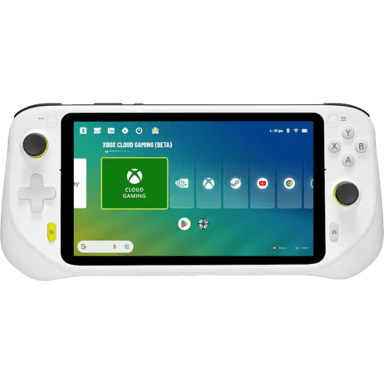

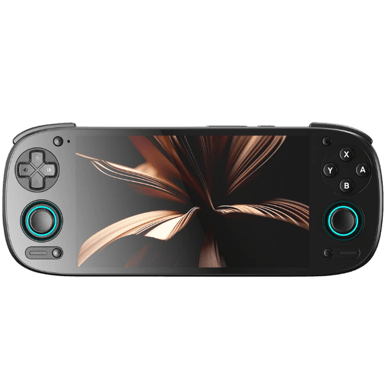
 Recaptor
 0
Cartling
0
Cartling