Yep, we may get a tiny thank-you (read: commission) when you buy through
links on Gadgetspotr — not enough for a yacht, but enough to keep the lights (and
servers) on.
Learn more
31
Highlights
70
Differences
8
Reactions
0
Likes
Logitech G CLOUD
vs
Nintendo Switch:
31 Highlights & 70 Differences —
Which One Dominates In Gaming Power?
We break down CPUs, graphics, and responsiveness. See which is better for serious gaming.
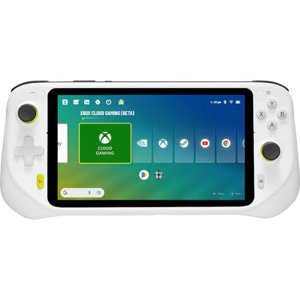
What sets Logitech G CLOUD apart from Nintendo Switch? This handheld consoles face-off compares specs like color options, portability focus, region compatibility & expandability and beyond.
Logitech G CLOUD vs Nintendo Switch: A Comprehensive Game On-The-Go Battle
When it comes to handheld gaming devices, the Logitech G CLOUD and the Nintendo Switch stand out as two compelling options tailored to very different gamer needs. Both devices prioritize portability and deliver high-resolution 16:9 displays optimized for vibrant visuals in various lighting environments. However, while the G CLOUD emphasizes cloud gaming with a lightweight design and outstanding battery longevity, the Switch shines with native game performance, physical media support, and richer accessory options. Players seeking robust gaming ecosystems and TV connectivity gravitate towards the Switch, whereas those valuing extended handheld playtime and cloud streaming might prefer the G CLOUD.
The Cloud Streaming Powerhouse: Why Logitech G CLOUD Captivates
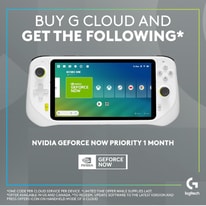
Designed with casual and streaming gamers in mind, the Logitech G CLOUD offers an exceptional battery life of up to 12 hours on average and an impressive standby time of up to 20 days. This longevity is a major advantage for those who game away from power sources, whether commuting or traveling. Its lightweight 1.02-pound frame, coupled with a compact form factor, makes it incredibly portable. The device's hardware strikes a balance with a 2.3 GHz CPU and a higher core count, tailored for smooth cloud gaming experiences rather than pushing native graphics. While it doesn't feature screen protection, it compensates with a high-brightness display and a low input latency, ensuring responsive controls and enjoyable gameplay.
Audio aficionados can appreciate its hardware DSP audio enhancements and wireless audio support, offering crisp sound for immersive sessions. The inclusion of gyroscopes, motion sensors, and potentiometer-based analog sticks attests to the device's responsiveness, though the control scheme leans more towards casual play. Cloud gaming's integration is strengthened by native emulator support and subscription service compatibility, allowing users to access a broad game library without relying on physical media.
Connectivity-wise, the Logitech G CLOUD supports standard USB-C charging and Bluetooth 5.0, enabling stable wireless peripherals. However, it lacks NFC and video output capabilities, meaning no direct TV connection. It does, however, provide solid multiplayer and social functions, featuring built-in messaging and cross-platform gameplay, encouraging community interaction even on the go.
Classic Console Versatility: The Strengths of Nintendo Switch
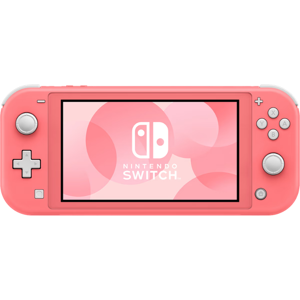
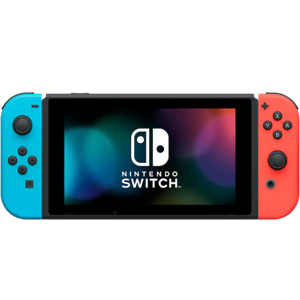
In contrast, the Nintendo Switch remains a powerhouse for traditional handheld gaming, offering superb graphical performance with a high-tier graphics setup and a clever range of performance modes from power-saving to performance boosts. The Switch features a slightly lighter 0.88-pound design but impresses with its tough Gorilla Glass screen protection, ensuring durability for everyday life and family gameplay.
Controls on the Switch are a standout element, benefiting from Hall Effect analog sticks and a hybrid D-pad that support precision and durability that gamers have come to expect from Nintendo's official hardware. The audio system uses software enhancements to deliver quality sound through wired or wireless connections. Native storage capacity on the Switch surpasses that of the G CLOUD, accommodating extensive physical game libraries and downloadable content.
The Nintendo Switch is also unmatched in connectivity options, featuring NFC support for amiibo functionality, Bluetooth 5.2 for stable wireless gear, and critically, video output for seamless TV gameplay; a feature rare in handhelds. This makes it the centerpiece of family entertainment setups, allowing users to switch between handheld and big screen modes easily.
Software-wise, the Switch supports physical media, and although it lacks emulator support, its official game ecosystem is vast and officially supported with numerous accessories and replacement parts. These extras, like specialized charging options and display accessories, fuel a versatile experience. Additionally, the Switch offers robust multiplayer experiences, although it doesn't natively provide messaging, favoring streamlined gaming sessions.
Quick Take
The Logitech G CLOUD's main advantage lies in its exceptional battery life, portability, and cloud streaming focus, making it perfect for travelers and casual gamers wanting extended playtime without frequent charging. Meanwhile, the Nintendo Switch excels in offering native game performance, a durable and protected display, and unmatched versatility with TV output and an expansive accessory ecosystem designed for family and traditional gamers.
Bottom Line
For those who prioritize long-lasting battery life and a slim, cloud-optimized handheld device, the Logitech G CLOUD is an excellent choice that enhances mobile gaming freedom. On the other hand, if you prefer a device offering native game execution, physical media support, rugged durability, and TV compatibility to share game time with family or friends, the Nintendo Switch remains the more comprehensive handheld console.
Verdict
Winner: Nintendo Switch - offers superior graphics, native game performance, screen durability with Gorilla Glass, and full TV output for diverse gaming experiences.
Runner-up: Logitech G CLOUD - shines with extended battery life, cloud gaming focus, and a lightweight design tailored for streaming enthusiasts and casual gamers on the go.
Both Logitech G CLOUD and Nintendo Switch emphasize Portability Focus, enabling gamers to enjoy their games on the go comfortably. This shared feature is ideal for those who want gaming flexibility without being tethered to a fixed location.
Shows whether portability is a key design priority.
In the battle of Portability Focus,
Logitech G CLOUD ◉ is
same as
Nintendo Switch ◉
.
Don’t keep it to yourself — be the first to react and review the
Portability Focus on Logitech G CLOUD ◉
vs Nintendo Switch ◉ and help others decide!
Region Compatibility for Logitech G CLOUD and Nintendo Switch is global. Both devices can be used worldwide, making them suitable for gamers who travel or purchase games internationally. This global compatibility ensures flexibility in use without regional restrictions.
Indicates whether the device works across regions.
In the battle of Region Compatibility,
Logitech G CLOUD ◉ is
same as
Nintendo Switch ◉
.
Don’t keep it to yourself — be the first to react and review the
Region Compatibility on Logitech G CLOUD ◉
vs Nintendo Switch ◉ and help others decide!
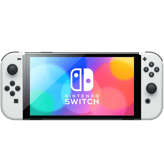
Color Options for Logitech G CLOUD is White, whereas Nintendo Switch offers Neon Red/Neon Blue and Gray. Nintendo Switch provides more vibrant color choices appealing to style-conscious users, making it a catchier option in aesthetics.
Indicates the available color variants.
In the battle of Color Options,
Logitech G CLOUD ◉ is
same as
Nintendo Switch ◉
.
Don’t keep it to yourself — be the first to react and review the
Color Options on Logitech G CLOUD ◉
vs Nintendo Switch ◉ and help others decide!
Expandability is supported by both Logitech G CLOUD and Nintendo Switch. This allows users of both devices to increase storage or functionality, making them adaptable to the user's evolving needs and game collection size.
Shows if the system supports future expansion or upgrades.
In the battle of Expandability,
Logitech G CLOUD ◉ is
same as
Nintendo Switch ◉
.
Don’t keep it to yourself — be the first to react and review the
Expandability on Logitech G CLOUD ◉
vs Nintendo Switch ◉ and help others decide!
Release Year
What year was it released?
0
Logitech G CLOUD
0Votes
2022
0
Nintendo Switch
0Votes
2017
Logitech G CLOUD
The product was released in the year 2022, reflecting its technology generation and compatibility standards.
Shows the year the product was officially released.
In the battle of Release Year,
Logitech G CLOUD ◉ is
same as
Nintendo Switch ◉
.
Don’t keep it to yourself — be the first to react and review the
Release Year on Logitech G CLOUD ◉
vs Nintendo Switch ◉ and help others decide!
Intended User
Who is this handheld intended for?
0
Logitech G CLOUD
0Votes
Casual Gamers
0
Nintendo Switch
0Votes
Family
vs
Intended User
The Intended User differs: Logitech G CLOUD targets Casual Gamers, while Nintendo Switch is designed for Family use. Logitech G CLOUD suits individual casual gaming needs, whereas Nintendo Switch caters well to shared family entertainment.
Specifies the primary target audience for the device.
In the battle of Intended User,
Logitech G CLOUD ◉ is
same as
Nintendo Switch ◉
.
Don’t keep it to yourself — be the first to react and review the
Intended User on Logitech G CLOUD ◉
vs Nintendo Switch ◉ and help others decide!
Usage Mode
What usage modes are supported?
0
Logitech G CLOUD
0Votes
Handheld Only
0
Nintendo Switch
0Votes
Handheld Only
Nintendo Switch
Designed as Handheld Only, so it focuses on portable play rather than being used with a docked TV mode.
A Handheld Only design typically prioritizes battery life and ergonomic controls for on-the-go gaming.
Describes how the console is typically used.
In the battle of Usage Mode,
Logitech G CLOUD ◉ is
same as
Nintendo Switch ◉
.
Don’t keep it to yourself — be the first to react and review the
Usage Mode on Logitech G CLOUD ◉
vs Nintendo Switch ◉ and help others decide!
Primary Material
What is the primary material of the console body?
0
Logitech G CLOUD
0Votes
Plastic
0
Nintendo Switch
0Votes
Plastic
Nintendo Switch
The console uses a Plastic chassis, which helps keep weight and cost down.
While durable and lightweight, Plastic may show scuffs more easily than metal finishes.
Describes the main material used for the handheld console’s exterior housing, affecting durability, weight, and premium feel.
In the battle of Primary Material,
Logitech G CLOUD ◉ is
same as
Nintendo Switch ◉
.
Don’t keep it to yourself — be the first to react and review the
Primary Material on Logitech G CLOUD ◉
vs Nintendo Switch ◉ and help others decide!
Build Finish
What is the build finish?
0
Logitech G CLOUD
0Votes
Matte
0
Nintendo Switch
0Votes
Glossy
Nintendo Switch
Features a Glossy finish which provides a shiny appearance but can show fingerprints and smudges more easily.
A Glossy build finish often looks sleek but may require frequent cleaning to maintain its appearance.
Describes the surface finish of the device.
In the battle of Build Finish,
Logitech G CLOUD ◉ is
same as
Nintendo Switch ◉
.
Don’t keep it to yourself — be the first to react and review the
Build Finish on Logitech G CLOUD ◉
vs Nintendo Switch ◉ and help others decide!
Operating System
What operating system does this handheld console use?
0
Logitech G CLOUD
0Votes
Android
0
Nintendo Switch
0Votes
Windows
Specifies the core operating system that runs the handheld console and determines software compatibility, ecosystem access, and update flexibility.
In the battle of Operating System,
Logitech G CLOUD ◉ is
same as
Nintendo Switch ◉
.
Don’t keep it to yourself — be the first to react and review the
Operating System on Logitech G CLOUD ◉
vs Nintendo Switch ◉ and help others decide!
Ergonomic Design
Is the design ergonomic?
Yes
0Votes
Logitech G CLOUD
Yes
0Votes
Nintendo Switch
Indicates whether the device is designed for comfortable long-term use.
In the battle of Ergonomic Design,
Logitech G CLOUD ◉ is
same as
Nintendo Switch ◉
.
Don’t keep it to yourself — be the first to react and review the
Ergonomic Design on Logitech G CLOUD ◉
vs Nintendo Switch ◉ and help others decide!
Durability Rating
What is the durability rating of the console?
0
Logitech G CLOUD
0Votes
Medium
0
Nintendo Switch
0Votes
High
Indicates the overall resistance of the handheld console to drops, wear, and long-term usage stress.
In the battle of Durability Rating,
Logitech G CLOUD ◉ is
same as
Nintendo Switch ◉
.
Don’t keep it to yourself — be the first to react and review the
Durability Rating on Logitech G CLOUD ◉
vs Nintendo Switch ◉ and help others decide!
Repairability Level
How repairable is the device?
0
Logitech G CLOUD
0Votes
Medium
0
Nintendo Switch
0Votes
Medium
Indicates how easy the device is to repair or service.
In the battle of Repairability Level,
Logitech G CLOUD ◉ is
same as
Nintendo Switch ◉
.
Don’t keep it to yourself — be the first to react and review the
Repairability Level on Logitech G CLOUD ◉
vs Nintendo Switch ◉ and help others decide!
Logitech G CLOUD weighs 1.02 lbs, while Nintendo Switch is lighter at 0.88 lbs. Nintendo Switch's lighter weight makes it slightly easier to carry during long gaming sessions, favoring on-the-go users.
Indicates the overall weight of the device for portability.
In the battle of Weight,
Logitech G CLOUD ◉ is
worse than
Nintendo Switch ◉
, delivering
higher
0.1 lbs
measurement.
Based on community votes for Weight,
Logitech G CLOUD ◉ earned
0 votes,
less than
Nintendo Switch ◉,
which got 1 votes.
Width is 10.11 inches for Logitech G CLOUD versus 12.5 inches for Nintendo Switch. The smaller width of Logitech G CLOUD contributes to easier handheld use and portability.
Measures the horizontal size of the console from side to side.
In the battle of Width,
Logitech G CLOUD ◉ is
better than
Nintendo Switch ◉
, delivering
lower
2.4 inch
measurement.
Don’t keep it to yourself — be the first to react and review the
Width on Logitech G CLOUD ◉
vs Nintendo Switch ◉ and help others decide!
Package Width measures 10.5 inches for Logitech G CLOUD and 13.7 inches for Nintendo Switch. Logitech G CLOUD's narrower packaging suggests a smaller footprint for storage or transport.
Width of the retail packaging.
In the battle of Package Width,
Logitech G CLOUD ◉ is
better than
Nintendo Switch ◉
, delivering
lower
3.2 inch
measurement.
Don’t keep it to yourself — be the first to react and review the
Package Width on Logitech G CLOUD ◉
vs Nintendo Switch ◉ and help others decide!
Package Depth is 4.6 inches on Logitech G CLOUD and significantly larger at 8.3 inches on Nintendo Switch. Logitech's smaller depth enhances compactness in the retail box and storage.
Depth of the retail packaging.
In the battle of Package Depth,
Logitech G CLOUD ◉ is
better than
Nintendo Switch ◉
, delivering
lower
3.7 inch
measurement.
Don’t keep it to yourself — be the first to react and review the
Package Depth on Logitech G CLOUD ◉
vs Nintendo Switch ◉ and help others decide!
Package Height of Logitech G CLOUD is 2.8 inches compared to Nintendo Switch's 3.9 inches, making Logitech G CLOUD more compact in packaging. This smaller size benefits portability and storage efficiency.
Height of the retail packaging.
In the battle of Package Height,
Logitech G CLOUD ◉ is
better than
Nintendo Switch ◉
, delivering
lower
1.1 inch
measurement.
Don’t keep it to yourself — be the first to react and review the
Package Height on Logitech G CLOUD ◉
vs Nintendo Switch ◉ and help others decide!
Height
What is the height of the console?
1.59
inch
0Votes
5.1
inch
0Votes
Logitech G CLOUD
The device height is 1.59 inch (4.04 cm), contributing to a slim and comfortable handheld form factor.
Measures the vertical dimension of the handheld console.
In the battle of Height,
Logitech G CLOUD ◉ is
better than
Nintendo Switch ◉
, delivering
lower
3.5 inch
measurement.
Don’t keep it to yourself — be the first to react and review the
Height on Logitech G CLOUD ◉
vs Nintendo Switch ◉ and help others decide!
Package Weight
What is the package weight?
2.2
lbs
0Votes
4
lbs
0Votes
Logitech G CLOUD
The package weight is 2.2 lbs (1.0 kg), indicating the total weight including the device and all packaging materials.
Total weight including packaging and accessories.
In the battle of Package Weight,
Logitech G CLOUD ◉ is
better than
Nintendo Switch ◉
, delivering
lower
1.8 lbs
measurement.
Don’t keep it to yourself — be the first to react and review the
Package Weight on Logitech G CLOUD ◉
vs Nintendo Switch ◉ and help others decide!
Depth
What is the depth of the console?
4.61
inch
0Votes
6.1
inch
0Votes
Measures the front-to-back thickness of the device.
In the battle of Depth,
Logitech G CLOUD ◉ is
better than
Nintendo Switch ◉
, delivering
lower
1.5 inch
measurement.
Don’t keep it to yourself — be the first to react and review the
Depth on Logitech G CLOUD ◉
vs Nintendo Switch ◉ and help others decide!
Both Logitech G CLOUD and Nintendo Switch share a 16:9 Aspect Ratio, making them ideal for widescreen games and videos with consistent viewing experience.
Describes the proportional relationship between width and height.
In the battle of Aspect Ratio,
Logitech G CLOUD ◉ is
same as
Nintendo Switch ◉
.
Don’t keep it to yourself — be the first to react and review the
Aspect Ratio on Logitech G CLOUD ◉
vs Nintendo Switch ◉ and help others decide!
Brightness Level is high in both Logitech G CLOUD and Nintendo Switch, which supports comfortable gameplay in various lighting environments without brightness issues.
Describes the overall brightness capability of the display.
In the battle of Brightness Level,
Logitech G CLOUD ◉ is
same as
Nintendo Switch ◉
.
Don’t keep it to yourself — be the first to react and review the
Brightness Level on Logitech G CLOUD ◉
vs Nintendo Switch ◉ and help others decide!
What type of panel protection does the display feature?
0
Logitech G CLOUD
0Votes
None
0
Nintendo Switch
0Votes
Gorilla Glass
vs
Panel Protection
Panel Protection on Logitech G CLOUD is None, while Nintendo Switch features Gorilla Glass for durability. Nintendo Switch therefore offers better screen protection, suited for rough usage or travel.
Refers to protective layers applied to the display surface to prevent scratches and damage.
In the battle of Panel Protection,
Logitech G CLOUD ◉ is
same as
Nintendo Switch ◉
.
Don’t keep it to yourself — be the first to react and review the
Panel Protection on Logitech G CLOUD ◉
vs Nintendo Switch ◉ and help others decide!
Screen Size
What is the screen size?
7
inch
0Votes
7
inch
0Votes
Logitech G CLOUD
The screen size is 7 inch (17.78 cm), which balances portability with a comfortable viewing area.
Indicates the diagonal size of the display.
In the battle of Screen Size,
Logitech G CLOUD ◉ is
same as
Nintendo Switch ◉
, delivering
equal
7.00 inch
measurement.
Don’t keep it to yourself — be the first to react and review the
Screen Size on Logitech G CLOUD ◉
vs Nintendo Switch ◉ and help others decide!
Refresh Rate
What is the refresh rate?
60
Hz
0Votes
120
Hz
0Votes
Logitech G CLOUD
The screen refresh rate is set at 60 Hz, providing smooth visual transitions suitable for most handheld gaming needs.
Indicates how many times the screen refreshes per second.
In the battle of Refresh Rate,
Logitech G CLOUD ◉ is
worse than
Nintendo Switch ◉
, delivering
lower
60.0 Hz
measurement.
Don’t keep it to yourself — be the first to react and review the
Refresh Rate on Logitech G CLOUD ◉
vs Nintendo Switch ◉ and help others decide!
Color Gamut
What color gamut does the display support?
0
Logitech G CLOUD
0Votes
sRGB
0
Nintendo Switch
0Votes
sRGB,Adobe RGB
Logitech G CLOUD
The color gamut is sRGB, providing standard color representation suitable for most content and games.
Describes the range of colors the display is capable of reproducing.
In the battle of Color Gamut,
Logitech G CLOUD ◉ is
same as
Nintendo Switch ◉
.
Don’t keep it to yourself — be the first to react and review the
Color Gamut on Logitech G CLOUD ◉
vs Nintendo Switch ◉ and help others decide!
Variable Refresh Rate
Is variable refresh rate supported?
No
0Votes
Logitech G CLOUD
Yes
0Votes
Nintendo Switch
Nintendo Switch
Supports variable refresh rate to reduce screen tearing and stuttering when frame rates fluctuate.
Variable refresh rate improves visual smoothness when paired with compatible games and settings.
Indicates dynamic adjustment of refresh rate for smoother visuals.
In the battle of Variable Refresh Rate,
Logitech G CLOUD ◉ is
worse than
Nintendo Switch ◉
.
Don’t keep it to yourself — be the first to react and review the
Variable Refresh Rate on Logitech G CLOUD ◉
vs Nintendo Switch ◉ and help others decide!
Screen Type
What type of screen does it use?
0
Logitech G CLOUD
0Votes
LCD
0
Nintendo Switch
0Votes
LCD
Defines the underlying display panel technology.
In the battle of Screen Type,
Logitech G CLOUD ◉ is
same as
Nintendo Switch ◉
.
Don’t keep it to yourself — be the first to react and review the
Screen Type on Logitech G CLOUD ◉
vs Nintendo Switch ◉ and help others decide!
Resolution Height
What is the resolution height level?
0
Logitech G CLOUD
0Votes
High
0
Nintendo Switch
0Votes
High
Categorizes the vertical resolution clarity level of the display.
In the battle of Resolution Height,
Logitech G CLOUD ◉ is
same as
Nintendo Switch ◉
.
Don’t keep it to yourself — be the first to react and review the
Resolution Height on Logitech G CLOUD ◉
vs Nintendo Switch ◉ and help others decide!
Touchscreen
Does it support touchscreen input?
Yes
0Votes
Logitech G CLOUD
Yes
0Votes
Nintendo Switch
Shows whether the display supports touch input.
In the battle of Touchscreen,
Logitech G CLOUD ◉ is
same as
Nintendo Switch ◉
.
Don’t keep it to yourself — be the first to react and review the
Touchscreen on Logitech G CLOUD ◉
vs Nintendo Switch ◉ and help others decide!
HDR
Does it support HDR?
No
0Votes
Logitech G CLOUD
No
0Votes
Nintendo Switch
vs
HDR
Neither Logitech G CLOUD nor Nintendo Switch support HDR, offering similar visual quality terms in this area, so the choice depends on other display features.
Indicates support for high dynamic range content.
In the battle of HDR,
Logitech G CLOUD ◉ is
same as
Nintendo Switch ◉
.
Don’t keep it to yourself — be the first to react and review the
HDR on Logitech G CLOUD ◉
vs Nintendo Switch ◉ and help others decide!
Bezel Size
How large are the bezels?
0
Logitech G CLOUD
0Votes
Medium
0
Nintendo Switch
0Votes
Thin
Describes the thickness of the display borders.
In the battle of Bezel Size,
Logitech G CLOUD ◉ is
same as
Nintendo Switch ◉
.
Don’t keep it to yourself — be the first to react and review the
Bezel Size on Logitech G CLOUD ◉
vs Nintendo Switch ◉ and help others decide!
Anti-Glare Coating
Does it have anti-glare coating?
Yes
0Votes
Logitech G CLOUD
No
0Votes
Nintendo Switch
Shows whether the screen reduces reflections.
In the battle of Anti-Glare Coating,
Logitech G CLOUD ◉ is
better than
Nintendo Switch ◉
.
Don’t keep it to yourself — be the first to react and review the
Anti-Glare Coating on Logitech G CLOUD ◉
vs Nintendo Switch ◉ and help others decide!
Internal Storage Capacity is Medium for Logitech G CLOUD and High for Nintendo Switch. Nintendo Switch offers more onboard storage, beneficial for larger game libraries or media.
Categorizes built-in storage space for games and data.
In the battle of Internal Storage Capacity,
Logitech G CLOUD ◉ is
same as
Nintendo Switch ◉
.
Don’t keep it to yourself — be the first to react and review the
Internal Storage Capacity on Logitech G CLOUD ◉
vs Nintendo Switch ◉ and help others decide!
0
Nintendo Switch
0Votes
Power Saving, Balanced, Performance
vs
Performance Modes
Performance Modes differ: Logitech G CLOUD offers Balanced mode, whereas Nintendo Switch features Power Saving, Balanced, and Performance modes. Nintendo Switch provides more performance flexibility for different gaming needs.
Defines selectable system performance profiles.
In the battle of Performance Modes,
Logitech G CLOUD ◉ is
same as
Nintendo Switch ◉
.
Don’t keep it to yourself — be the first to react and review the
Performance Modes on Logitech G CLOUD ◉
vs Nintendo Switch ◉ and help others decide!
Graphics Performance Tier for Logitech G CLOUD is Mid, while Nintendo Switch boasts High tier, indicating superior graphics capabilities suitable for more demanding visual games on Nintendo Switch.
Categorizes overall graphical capability.
In the battle of Graphics Performance Tier,
Logitech G CLOUD ◉ is
same as
Nintendo Switch ◉
.
Based on community votes for Graphics Performance Tier,
Logitech G CLOUD ◉ earned
0 votes,
less than
Nintendo Switch ◉,
which got 1 votes.
CPU Clock Speed is 2.3 GHz in Logitech G CLOUD versus 1.02 GHz in Nintendo Switch. Logitech G CLOUD has more than double the CPU speed, favoring faster processing and multitasking.
Shows the operating speed of the CPU.
In the battle of CPU Clock Speed,
Logitech G CLOUD ◉ is
better than
Nintendo Switch ◉
, delivering
higher
1.3 GHz
measurement.
Don’t keep it to yourself — be the first to react and review the
CPU Clock Speed on Logitech G CLOUD ◉
vs Nintendo Switch ◉ and help others decide!
GPU Type
What type of gpu does it use?
0
Logitech G CLOUD
0Votes
Integrated
0
Nintendo Switch
0Votes
Dedicated
Logitech G CLOUD
GPU type is integrated, meaning graphics processing is handled within the main processor unit, balancing power use and performance.
Nintendo Switch
Includes a Dedicated GPU, which provides stronger graphics performance than integrated solutions.
A Dedicated GPU enables higher-quality rendering, better effects, and more stable frame rates in demanding titles.
Describes the type of graphics processor used for rendering visuals.
In the battle of GPU Type,
Logitech G CLOUD ◉ is
same as
Nintendo Switch ◉
.
Don’t keep it to yourself — be the first to react and review the
GPU Type on Logitech G CLOUD ◉
vs Nintendo Switch ◉ and help others decide!
Expandable Storage Type
What expandable storage type is supported?
0
Logitech G CLOUD
0Votes
microSD, microSDXC
0
Nintendo Switch
0Votes
microSDXC
Logitech G CLOUD
Expandable storage supports microSD and microSDXC cards, allowing users to increase storage capacity flexibly.
Nintendo Switch
Supports microSDXC cards for expandable storage, enabling more games and media to be stored locally.
Using microSDXC allows easy and inexpensive capacity upgrades compared to relying solely on internal storage.
Indicates supported expandable storage formats.
In the battle of Expandable Storage Type,
Logitech G CLOUD ◉ is
same as
Nintendo Switch ◉
.
Don’t keep it to yourself — be the first to react and review the
Expandable Storage Type on Logitech G CLOUD ◉
vs Nintendo Switch ◉ and help others decide!
Cooling Method
What cooling method is used?
0
Logitech G CLOUD
0Votes
Passive
0
Nintendo Switch
0Votes
Active
Logitech G CLOUD
The device uses passive cooling, which means it relies on heat dissipation without fans, leading to silent operation but potentially limited heat management under heavy loads.
Nintendo Switch
Uses Active cooling (typically a small fan) to maintain performance during extended play sessions.
Active cooling reduces thermal throttling but can introduce audible noise under load.
Describes how heat is managed internally.
In the battle of Cooling Method,
Logitech G CLOUD ◉ is
same as
Nintendo Switch ◉
.
Don’t keep it to yourself — be the first to react and review the
Cooling Method on Logitech G CLOUD ◉
vs Nintendo Switch ◉ and help others decide!
Processor Type
What processor type does it use?
0
Logitech G CLOUD
0Votes
ARM
0
Nintendo Switch
0Votes
x86
Logitech G CLOUD
The processor type is ARM, a common architecture for energy-efficient mobile device CPUs.
Identifies the processor architecture used by the handheld console.
In the battle of Processor Type,
Logitech G CLOUD ◉ is
same as
Nintendo Switch ◉
.
Don’t keep it to yourself — be the first to react and review the
Processor Type on Logitech G CLOUD ◉
vs Nintendo Switch ◉ and help others decide!
System Memory Capacity
How much system memory is available?
0
Logitech G CLOUD
0Votes
Medium
0
Nintendo Switch
0Votes
High
Nintendo Switch
Has High system memory capacity to support smoother multitasking and game performance.
More memory helps reduce slowdowns when switching apps or running background services alongside games.
Categorizes available system memory for games and applications.
In the battle of System Memory Capacity,
Logitech G CLOUD ◉ is
same as
Nintendo Switch ◉
.
Don’t keep it to yourself — be the first to react and review the
System Memory Capacity on Logitech G CLOUD ◉
vs Nintendo Switch ◉ and help others decide!
Load Time Optimization
Are load times optimized?
Yes
0Votes
Logitech G CLOUD
Yes
0Votes
Nintendo Switch
Nintendo Switch
Implements load time optimizations such as faster storage access or streaming assets to reduce waiting between scenes.
Improved load times enhance the overall user experience, especially for games with frequent level transitions.
Indicates optimizations for faster game loading.
In the battle of Load Time Optimization,
Logitech G CLOUD ◉ is
same as
Nintendo Switch ◉
.
Don’t keep it to yourself — be the first to react and review the
Load Time Optimization on Logitech G CLOUD ◉
vs Nintendo Switch ◉ and help others decide!
Hardware Acceleration
Is hardware acceleration supported?
Yes
0Votes
Logitech G CLOUD
Yes
0Votes
Nintendo Switch
Nintendo Switch
Includes hardware acceleration for graphics or video decoding, improving performance and reducing CPU load.
Hardware acceleration helps maintain smoother frame rates in supported games.
Shows support for hardware-level performance boosts.
In the battle of Hardware Acceleration,
Logitech G CLOUD ◉ is
same as
Nintendo Switch ◉
.
Don’t keep it to yourself — be the first to react and review the
Hardware Acceleration on Logitech G CLOUD ◉
vs Nintendo Switch ◉ and help others decide!
Memory Type
What type of memory does it use?
0
Logitech G CLOUD
0Votes
Symmetrical
0
Nintendo Switch
0Votes
LPDDR5
Specifies the type of memory technology used by the system.
In the battle of Memory Type,
Logitech G CLOUD ◉ is
same as
Nintendo Switch ◉
.
Don’t keep it to yourself — be the first to react and review the
Memory Type on Logitech G CLOUD ◉
vs Nintendo Switch ◉ and help others decide!
Storage Type
What type of storage does it use?
0
Logitech G CLOUD
0Votes
Cloud
0
Nintendo Switch
0Votes
NVMe
Describes the internal storage technology.
In the battle of Storage Type,
Logitech G CLOUD ◉ is
same as
Nintendo Switch ◉
.
Don’t keep it to yourself — be the first to react and review the
Storage Type on Logitech G CLOUD ◉
vs Nintendo Switch ◉ and help others decide!
Thermal Design Rating
How strong is the thermal design?
0
Logitech G CLOUD
0Votes
Medium
0
Nintendo Switch
0Votes
High
Indicates thermal tolerance under load.
In the battle of Thermal Design Rating,
Logitech G CLOUD ◉ is
same as
Nintendo Switch ◉
.
Don’t keep it to yourself — be the first to react and review the
Thermal Design Rating on Logitech G CLOUD ◉
vs Nintendo Switch ◉ and help others decide!
Multitasking
Does it support multitasking?
Yes
0Votes
Logitech G CLOUD
No
0Votes
Nintendo Switch
Indicates ability to run multiple tasks smoothly.
In the battle of Multitasking,
Logitech G CLOUD ◉ is
better than
Nintendo Switch ◉
.
Don’t keep it to yourself — be the first to react and review the
Multitasking on Logitech G CLOUD ◉
vs Nintendo Switch ◉ and help others decide!
Boot Time
How fast is the boot time?
0
Logitech G CLOUD
0Votes
Fast
0
Nintendo Switch
0Votes
Fast
Describes how quickly the system starts up from power on.
In the battle of Boot Time,
Logitech G CLOUD ◉ is
same as
Nintendo Switch ◉
.
Don’t keep it to yourself — be the first to react and review the
Boot Time on Logitech G CLOUD ◉
vs Nintendo Switch ◉ and help others decide!
System Stability Rating
How stable is the system?
0
Logitech G CLOUD
0Votes
Medium
0
Nintendo Switch
0Votes
High
Rates stability under sustained usage.
In the battle of System Stability Rating,
Logitech G CLOUD ◉ is
same as
Nintendo Switch ◉
.
Don’t keep it to yourself — be the first to react and review the
System Stability Rating on Logitech G CLOUD ◉
vs Nintendo Switch ◉ and help others decide!
Both Logitech G CLOUD and Nintendo Switch include Gyroscope controls. This allows for motion-based gaming on both platforms for immersive interactive experiences.
Shows whether a gyroscope is built in.
In the battle of Gyroscope,
Logitech G CLOUD ◉ is
same as
Nintendo Switch ◉
.
Based on community votes for Gyroscope,
Logitech G CLOUD ◉ earned
1 votes,
more than
Nintendo Switch ◉,
which got 0 votes.
Analog Stick Technology uses Potentiometer on Logitech G CLOUD compared to Hall Effect on Nintendo Switch. Hall Effect sticks generally provide longer durability and precision, favoring Nintendo Switch.
Describes the underlying technology used in analog sticks, affecting accuracy, durability, and drift resistance.
In the battle of Analog Stick Technology,
Logitech G CLOUD ◉ is
same as
Nintendo Switch ◉
.
Don’t keep it to yourself — be the first to react and review the
Analog Stick Technology on Logitech G CLOUD ◉
vs Nintendo Switch ◉ and help others decide!
D-Pad Type differs: Logitech G CLOUD uses Cross type, while Nintendo Switch employs Hybrid type. Hybrid D-Pad offers more versatility and comfort, making Nintendo Switch preferable for precision controls.
Describes the directional pad design.
In the battle of D-Pad Type,
Logitech G CLOUD ◉ is
same as
Nintendo Switch ◉
.
Don’t keep it to yourself — be the first to react and review the
D-Pad Type on Logitech G CLOUD ◉
vs Nintendo Switch ◉ and help others decide!
Input Latency Rating is Low for both Logitech G CLOUD and Nintendo Switch, ensuring responsive control inputs for a smooth gaming experience on either device.
Rates responsiveness of control input.
In the battle of Input Latency Rating,
Logitech G CLOUD ◉ is
same as
Nintendo Switch ◉
.
Don’t keep it to yourself — be the first to react and review the
Input Latency Rating on Logitech G CLOUD ◉
vs Nintendo Switch ◉ and help others decide!
Control Layout Type
What control layout does it use?
0
Logitech G CLOUD
0Votes
Asymmetrical
0
Nintendo Switch
0Votes
Asymmetrical
Logitech G CLOUD
The control layout is asymmetrical, which typically means the placement of sticks and keys is not symmetrical, often designed for ergonomic preferences.
Defines the overall arrangement of controls.
In the battle of Control Layout Type,
Logitech G CLOUD ◉ is
same as
Nintendo Switch ◉
.
Don’t keep it to yourself — be the first to react and review the
Control Layout Type on Logitech G CLOUD ◉
vs Nintendo Switch ◉ and help others decide!
Analog Stick Count
How many analog sticks are included?
0
Logitech G CLOUD
0Votes
2
0
Nintendo Switch
0Votes
2
Logitech G CLOUD
There are two analog sticks on the controller, offering versatile input options for gaming.
Indicates the number of analog sticks available.
In the battle of Analog Stick Count,
Logitech G CLOUD ◉ is
same as
Nintendo Switch ◉
.
Don’t keep it to yourself — be the first to react and review the
Analog Stick Count on Logitech G CLOUD ◉
vs Nintendo Switch ◉ and help others decide!
Button Count
How many buttons does it have?
0
Logitech G CLOUD
0Votes
12
0
Nintendo Switch
0Votes
18
Logitech G CLOUD
The device has 12 buttons, providing extensive input options for different game genres.
Total number of physical buttons on the device.
In the battle of Button Count,
Logitech G CLOUD ◉ is
same as
Nintendo Switch ◉
.
Don’t keep it to yourself — be the first to react and review the
Button Count on Logitech G CLOUD ◉
vs Nintendo Switch ◉ and help others decide!
Button Type
What type of buttons are used?
0
Logitech G CLOUD
0Votes
Membrane
0
Nintendo Switch
0Votes
Mechanical
Specifies the button actuation style.
In the battle of Button Type,
Logitech G CLOUD ◉ is
same as
Nintendo Switch ◉
.
Don’t keep it to yourself — be the first to react and review the
Button Type on Logitech G CLOUD ◉
vs Nintendo Switch ◉ and help others decide!
Trigger Type
What type of triggers are included?
0
Logitech G CLOUD
0Votes
Digital
0
Nintendo Switch
0Votes
Analog
Indicates whether triggers are pressure-sensitive.
In the battle of Trigger Type,
Logitech G CLOUD ◉ is
same as
Nintendo Switch ◉
.
Don’t keep it to yourself — be the first to react and review the
Trigger Type on Logitech G CLOUD ◉
vs Nintendo Switch ◉ and help others decide!
Haptic Feedback
Does it support haptic feedback?
Yes
0Votes
Logitech G CLOUD
Yes
0Votes
Nintendo Switch
Shows whether advanced vibration feedback is supported.
In the battle of Haptic Feedback,
Logitech G CLOUD ◉ is
same as
Nintendo Switch ◉
.
Don’t keep it to yourself — be the first to react and review the
Haptic Feedback on Logitech G CLOUD ◉
vs Nintendo Switch ◉ and help others decide!
Accelerometer
Is an accelerometer included?
Yes
0Votes
Logitech G CLOUD
Yes
0Votes
Nintendo Switch
Indicates presence of an accelerometer sensor.
In the battle of Accelerometer,
Logitech G CLOUD ◉ is
same as
Nintendo Switch ◉
.
Don’t keep it to yourself — be the first to react and review the
Accelerometer on Logitech G CLOUD ◉
vs Nintendo Switch ◉ and help others decide!
Touch Input Type
What type of touch input is used?
0
Logitech G CLOUD
0Votes
Capacitive
0
Nintendo Switch
0Votes
Capacitive
Describes the touchscreen input technology.
In the battle of Touch Input Type,
Logitech G CLOUD ◉ is
same as
Nintendo Switch ◉
.
Don’t keep it to yourself — be the first to react and review the
Touch Input Type on Logitech G CLOUD ◉
vs Nintendo Switch ◉ and help others decide!
Macro
Are macros supported?
No
0Votes
Logitech G CLOUD
No
0Votes
Nintendo Switch
Indicates whether custom macros can be assigned.
In the battle of Macro,
Logitech G CLOUD ◉ is
same as
Nintendo Switch ◉
.
Don’t keep it to yourself — be the first to react and review the
Macro on Logitech G CLOUD ◉
vs Nintendo Switch ◉ and help others decide!
Remappable Controls
Are controls remappable?
Yes
0Votes
Logitech G CLOUD
Yes
0Votes
Nintendo Switch
Shows whether button mapping can be customized.
In the battle of Remappable Controls,
Logitech G CLOUD ◉ is
same as
Nintendo Switch ◉
.
Don’t keep it to yourself — be the first to react and review the
Remappable Controls on Logitech G CLOUD ◉
vs Nintendo Switch ◉ and help others decide!
Accessibility Controls
Are accessibility controls available?
Yes
0Votes
Logitech G CLOUD
Yes
0Votes
Nintendo Switch
Indicates support for accessibility-focused input options.
In the battle of Accessibility Controls,
Logitech G CLOUD ◉ is
same as
Nintendo Switch ◉
.
Don’t keep it to yourself — be the first to react and review the
Accessibility Controls on Logitech G CLOUD ◉
vs Nintendo Switch ◉ and help others decide!
Audio Enhancement Technology differs; Logitech G CLOUD uses Hardware DSP, while Nintendo Switch employs Software Enhancement. Hardware DSP may provide more consistent sound quality, favoring Logitech G CLOUD here.
Refers to technologies used to improve sound quality, clarity, or spatial effects.
In the battle of Audio Enhancement Technology,
Logitech G CLOUD ◉ is
same as
Nintendo Switch ◉
.
Based on community votes for Audio Enhancement Technology,
Logitech G CLOUD ◉ earned
1 votes,
more than
Nintendo Switch ◉,
which got 0 votes.
Speaker Power Output is 2 Watts each on Logitech G CLOUD and Nintendo Switch, delivering comparable audio loudness suitable for handheld gaming.
Indicates the loudness capability of the built-in speakers.
In the battle of Speaker Power Output,
Logitech G CLOUD ◉ is
same as
Nintendo Switch ◉
, delivering
equal
2.00 Watt
measurement.
Don’t keep it to yourself — be the first to react and review the
Speaker Power Output on Logitech G CLOUD ◉
vs Nintendo Switch ◉ and help others decide!
Audio Latency is Low for both Logitech G CLOUD and Nintendo Switch, allowing tight audio synchronization with game visuals enhancing gameplay immersion.
Categorizes the delay between audio output and on-screen action.
In the battle of Audio Latency,
Logitech G CLOUD ◉ is
same as
Nintendo Switch ◉
.
Don’t keep it to yourself — be the first to react and review the
Audio Latency on Logitech G CLOUD ◉
vs Nintendo Switch ◉ and help others decide!
Wireless Audio support is available on both Logitech G CLOUD and Nintendo Switch, providing cordless audio freedom for convenience and better mobility.
Indicates support for wireless audio devices.
In the battle of Wireless Audio,
Logitech G CLOUD ◉ is
same as
Nintendo Switch ◉
.
Don’t keep it to yourself — be the first to react and review the
Wireless Audio on Logitech G CLOUD ◉
vs Nintendo Switch ◉ and help others decide!
Speaker Configuration
What is the speaker configuration?
0
Logitech G CLOUD
0Votes
Stereo
0
Nintendo Switch
0Votes
Stereo
Nintendo Switch
Includes Stereo speakers for left-right audio separation, improving spatial cues during gameplay.
Stereo output enhances immersion compared to mono speakers, though it may not match a dedicated surround system.
Describes the number and arrangement of built-in speakers.
In the battle of Speaker Configuration,
Logitech G CLOUD ◉ is
same as
Nintendo Switch ◉
.
Don’t keep it to yourself — be the first to react and review the
Speaker Configuration on Logitech G CLOUD ◉
vs Nintendo Switch ◉ and help others decide!
Microphone Type
What type of microphone is included?
0
Logitech G CLOUD
0Votes
Built-in
0
Nintendo Switch
0Votes
Array
Describes the microphone configuration used for voice input.
In the battle of Microphone Type,
Logitech G CLOUD ◉ is
same as
Nintendo Switch ◉
.
Don’t keep it to yourself — be the first to react and review the
Microphone Type on Logitech G CLOUD ◉
vs Nintendo Switch ◉ and help others decide!
Microphone Noise Cancellation
Is noise cancellation supported?
Yes
0Votes
Logitech G CLOUD
No
0Votes
Nintendo Switch
Indicates whether background noise is reduced during voice input.
In the battle of Microphone Noise Cancellation,
Logitech G CLOUD ◉ is
better than
Nintendo Switch ◉
.
Don’t keep it to yourself — be the first to react and review the
Microphone Noise Cancellation on Logitech G CLOUD ◉
vs Nintendo Switch ◉ and help others decide!
Audio Codec
Which audio codecs are supported?
0
Logitech G CLOUD
0Votes
SBC, AAC, aptX
0
Nintendo Switch
0Votes
SBC, AAC, aptX, LDAC
Indicates supported audio codecs for wired or wireless audio transmission.
In the battle of Audio Codec,
Logitech G CLOUD ◉ is
same as
Nintendo Switch ◉
.
Don’t keep it to yourself — be the first to react and review the
Audio Codec on Logitech G CLOUD ◉
vs Nintendo Switch ◉ and help others decide!
Surround Sound
Is surround sound supported?
No
0Votes
Logitech G CLOUD
Yes
0Votes
Nintendo Switch
Indicates support for virtual or spatial surround sound.
In the battle of Surround Sound,
Logitech G CLOUD ◉ is
worse than
Nintendo Switch ◉
.
Don’t keep it to yourself — be the first to react and review the
Surround Sound on Logitech G CLOUD ◉
vs Nintendo Switch ◉ and help others decide!
Who knows?
0Votes
Nintendo Switch
(Help us out by suggesting one!)
Logitech G CLOUD
Standby battery life lasts up to 20 days, offering excellent power retention when the device is not in use.
Time the device can remain powered on in standby.
Don’t keep it to yourself — be the first to react and review the
Standby Battery Life on Logitech G CLOUD ◉
vs Nintendo Switch ◉ and help others decide!
Battery Capacity is Medium on Logitech G CLOUD and High on Nintendo Switch, suggesting Nintendo Switch may support longer gaming sessions before needing recharge.
Categorizes the overall battery size affecting usage duration.
In the battle of Battery Capacity,
Logitech G CLOUD ◉ is
same as
Nintendo Switch ◉
.
Based on community votes for Battery Capacity,
Logitech G CLOUD ◉ earned
0 votes,
less than
Nintendo Switch ◉,
which got 1 votes.
Average Battery Life varies: Logitech G CLOUD offers 12 hours, while Nintendo Switch ranges between 4.5 to 9 hours. Logitech G CLOUD is better for extended gaming away from power sources.
Average runtime under mixed usage conditions.
In the battle of Average Battery Life,
Logitech G CLOUD ◉ is
same as
Nintendo Switch ◉
.
Based on community votes for Average Battery Life,
Logitech G CLOUD ◉ earned
1 votes,
more than
Nintendo Switch ◉,
which got 0 votes.
I love the long average battery life on the Logitech G CLOUD it really lasts all day for me.
See more
Gaming Battery Life
How long does it last while gaming?
0
Logitech G CLOUD
0Votes
12 hours
0
Nintendo Switch
0Votes
2.5-6.5 hours
Logitech G CLOUD
Gaming battery life provides around 12 hours of gameplay on a single charge, supporting long sessions without recharging.
Nintendo Switch
Estimated gaming battery life is 2.5-6.5 hours, which varies with game intensity, screen brightness, and wireless usage.
Heavier 3D titles will tend toward the lower end of 2.5-6.5 hours, while less demanding games can reach the higher end.
Runtime specifically during active gaming sessions.
In the battle of Gaming Battery Life,
Logitech G CLOUD ◉ is
same as
Nintendo Switch ◉
.
Don’t keep it to yourself — be the first to react and review the
Gaming Battery Life on Logitech G CLOUD ◉
vs Nintendo Switch ◉ and help others decide!
Video Playback Battery Life
How long does it last during video playback?
0
Logitech G CLOUD
0Votes
15 hours
0
Nintendo Switch
0Votes
6 hours
Logitech G CLOUD
Video playback battery life can last approximately 15 hours, suitable for extended media consumption.
Battery duration when playing video content.
In the battle of Video Playback Battery Life,
Logitech G CLOUD ◉ is
same as
Nintendo Switch ◉
.
Don’t keep it to yourself — be the first to react and review the
Video Playback Battery Life on Logitech G CLOUD ◉
vs Nintendo Switch ◉ and help others decide!
Charging Method
How is the device charged?
0
Logitech G CLOUD
0Votes
Wired
0
Nintendo Switch
0Votes
Wired
Logitech G CLOUD
Charging method is wired, requiring a physical connection to recharge the device battery.
Describes how the device is charged.
In the battle of Charging Method,
Logitech G CLOUD ◉ is
same as
Nintendo Switch ◉
.
Don’t keep it to yourself — be the first to react and review the
Charging Method on Logitech G CLOUD ◉
vs Nintendo Switch ◉ and help others decide!
Charging Time
How long does it take to charge?
0
Logitech G CLOUD
0Votes
2.5 hours
0
Nintendo Switch
0Votes
3 hours
Logitech G CLOUD
Charging time is approximately 2.5 hours, which is a reasonable duration to recharge the device fully.
Time required to fully charge the battery.
In the battle of Charging Time,
Logitech G CLOUD ◉ is
same as
Nintendo Switch ◉
.
Don’t keep it to yourself — be the first to react and review the
Charging Time on Logitech G CLOUD ◉
vs Nintendo Switch ◉ and help others decide!
Battery Type
What type of battery does it use?
0
Logitech G CLOUD
0Votes
Lithium-Polymer
0
Nintendo Switch
0Votes
Lithium-Ion
Specifies the chemistry of the internal battery.
In the battle of Battery Type,
Logitech G CLOUD ◉ is
same as
Nintendo Switch ◉
.
Don’t keep it to yourself — be the first to react and review the
Battery Type on Logitech G CLOUD ◉
vs Nintendo Switch ◉ and help others decide!
Fast Charging
Does it support fast charging?
Yes
0Votes
Logitech G CLOUD
No
0Votes
Nintendo Switch
Indicates support for rapid charging.
In the battle of Fast Charging,
Logitech G CLOUD ◉ is
better than
Nintendo Switch ◉
.
Don’t keep it to yourself — be the first to react and review the
Fast Charging on Logitech G CLOUD ◉
vs Nintendo Switch ◉ and help others decide!
Power Consumption
How much power does it consume?
10
Watt
0Votes
18
Watt
0Votes
vs
Power Consumption
Power Consumption is 10 Watts on Logitech G CLOUD, significantly lower than Nintendo Switch at 18 Watts. Logitech G CLOUD is more energy efficient, benefiting longer usage on battery power.
Measures average power draw during operation.
In the battle of Power Consumption,
Logitech G CLOUD ◉ is
better than
Nintendo Switch ◉
, delivering
lower
8.0 Watt
measurement.
Don’t keep it to yourself — be the first to react and review the
Power Consumption on Logitech G CLOUD ◉
vs Nintendo Switch ◉ and help others decide!
Replaceable Battery
Is the battery replaceable?
No
0Votes
Logitech G CLOUD
No
0Votes
Nintendo Switch
Indicates whether the battery can be user-replaced.
In the battle of Replaceable Battery,
Logitech G CLOUD ◉ is
same as
Nintendo Switch ◉
.
Don’t keep it to yourself — be the first to react and review the
Replaceable Battery on Logitech G CLOUD ◉
vs Nintendo Switch ◉ and help others decide!
Power Saving Mode
Is there a power saving mode?
Yes
0Votes
Logitech G CLOUD
Yes
0Votes
Nintendo Switch
Shows support for reduced power usage modes.
In the battle of Power Saving Mode,
Logitech G CLOUD ◉ is
same as
Nintendo Switch ◉
.
Don’t keep it to yourself — be the first to react and review the
Power Saving Mode on Logitech G CLOUD ◉
vs Nintendo Switch ◉ and help others decide!
Overcharge Protection
Is overcharge protection included?
Yes
0Votes
Logitech G CLOUD
Yes
0Votes
Nintendo Switch
Indicates built-in protection against overcharging.
In the battle of Overcharge Protection,
Logitech G CLOUD ◉ is
same as
Nintendo Switch ◉
.
Don’t keep it to yourself — be the first to react and review the
Overcharge Protection on Logitech G CLOUD ◉
vs Nintendo Switch ◉ and help others decide!
Categorizes the maximum supported data transfer speed for file transfers and external connections.
In the battle of Data Transfer Speed,
Logitech G CLOUD ◉ is
same as
Nintendo Switch ◉
.
Don’t keep it to yourself — be the first to react and review the
Data Transfer Speed on Logitech G CLOUD ◉
vs Nintendo Switch ◉ and help others decide!
In the battle of NFC,
Logitech G CLOUD ◉ is
worse than
Nintendo Switch ◉
.
Don’t keep it to yourself — be the first to react and review the
NFC on Logitech G CLOUD ◉
vs Nintendo Switch ◉ and help others decide!
Cellular
Does it support cellular connectivity?
No
0Votes
Logitech G CLOUD
No
0Votes
Nintendo Switch
Nintendo Switch
Does not include built-in cellular connectivity, so online features require Wi‑Fi or a mobile hotspot.
Lack of cellular means no independent mobile data access for remote play without tethering.
Shows whether mobile data connectivity is available.
In the battle of Cellular,
Logitech G CLOUD ◉ is
same as
Nintendo Switch ◉
.
Don’t keep it to yourself — be the first to react and review the
Cellular on Logitech G CLOUD ◉
vs Nintendo Switch ◉ and help others decide!
Docking
Is docking supported?
No
0Votes
Logitech G CLOUD
Yes
0Votes
Nintendo Switch
Nintendo Switch
Includes docking support to connect the handheld to an external display and charge simultaneously.
Docking enables TV play and can offer a more traditional console experience when stationary.
Shows compatibility with docking stations.
In the battle of Docking,
Logitech G CLOUD ◉ is
worse than
Nintendo Switch ◉
.
Don’t keep it to yourself — be the first to react and review the
Docking on Logitech G CLOUD ◉
vs Nintendo Switch ◉ and help others decide!
Wireless Connectivity
What wireless connectivity options are supported?
0
Logitech G CLOUD
0Votes
Wi-Fi, Bluetooth
0
Nintendo Switch
0Votes
Wi-Fi, Bluetooth
Indicates supported wireless connection types.
In the battle of Wireless Connectivity,
Logitech G CLOUD ◉ is
same as
Nintendo Switch ◉
.
Don’t keep it to yourself — be the first to react and review the
Wireless Connectivity on Logitech G CLOUD ◉
vs Nintendo Switch ◉ and help others decide!
Wi-Fi Standard
Which Wi-Fi standard is supported?
0
Logitech G CLOUD
0Votes
Wi-Fi 5
0
Nintendo Switch
0Votes
Wi-Fi 5
Specifies the supported Wi-Fi generation.
In the battle of Wi-Fi Standard,
Logitech G CLOUD ◉ is
same as
Nintendo Switch ◉
.
Don’t keep it to yourself — be the first to react and review the
Wi-Fi Standard on Logitech G CLOUD ◉
vs Nintendo Switch ◉ and help others decide!
USB Port Count
How many USB ports are available?
0
Logitech G CLOUD
0Votes
1
0
Nintendo Switch
0Votes
3
Number of available USB ports.
In the battle of USB Port Count,
Logitech G CLOUD ◉ is
same as
Nintendo Switch ◉
.
Don’t keep it to yourself — be the first to react and review the
USB Port Count on Logitech G CLOUD ◉
vs Nintendo Switch ◉ and help others decide!
External Display
Can it connect to an external display?
No
0Votes
Logitech G CLOUD
Yes
0Votes
Nintendo Switch
Indicates support for external monitors or TVs.
In the battle of External Display,
Logitech G CLOUD ◉ is
worse than
Nintendo Switch ◉
.
Don’t keep it to yourself — be the first to react and review the
External Display on Logitech G CLOUD ◉
vs Nintendo Switch ◉ and help others decide!
GPS
Is GPS supported?
No
0Votes
Logitech G CLOUD
No
0Votes
Nintendo Switch
Shows whether location services are available.
In the battle of GPS,
Logitech G CLOUD ◉ is
same as
Nintendo Switch ◉
.
Don’t keep it to yourself — be the first to react and review the
GPS on Logitech G CLOUD ◉
vs Nintendo Switch ◉ and help others decide!
Cloud Connectivity
Does it support cloud connectivity?
Yes
0Votes
Logitech G CLOUD
Yes
0Votes
Nintendo Switch
Indicates integration with cloud services.
In the battle of Cloud Connectivity,
Logitech G CLOUD ◉ is
same as
Nintendo Switch ◉
.
Don’t keep it to yourself — be the first to react and review the
Cloud Connectivity on Logitech G CLOUD ◉
vs Nintendo Switch ◉ and help others decide!
Online Services
Are online services supported?
Yes
0Votes
Logitech G CLOUD
Yes
0Votes
Nintendo Switch
Shows compatibility with online platforms and services.
In the battle of Online Services,
Logitech G CLOUD ◉ is
same as
Nintendo Switch ◉
.
Don’t keep it to yourself — be the first to react and review the
Online Services on Logitech G CLOUD ◉
vs Nintendo Switch ◉ and help others decide!
Shows compatibility with gaming subscription services.
In the battle of Subscription Service,
Logitech G CLOUD ◉ is
same as
Nintendo Switch ◉
.
Don’t keep it to yourself — be the first to react and review the
Subscription Service on Logitech G CLOUD ◉
vs Nintendo Switch ◉ and help others decide!
Backward Compatibility
Is backward compatibility supported?
No
0Votes
Logitech G CLOUD
No
0Votes
Nintendo Switch
Nintendo Switch
Does not provide broad backward compatibility for older-generation cartridges or discs.
Users should verify compatibility on a per-title basis or rely on digital re-releases where available.
Indicates support for games from previous generations.
In the battle of Backward Compatibility,
Logitech G CLOUD ◉ is
same as
Nintendo Switch ◉
.
Don’t keep it to yourself — be the first to react and review the
Backward Compatibility on Logitech G CLOUD ◉
vs Nintendo Switch ◉ and help others decide!
Operating System Updates
How are OS updates handled?
0
Logitech G CLOUD
0Votes
Automatic
0
Nintendo Switch
0Votes
Automatic
Logitech G CLOUD
Operating system updates are automatic, keeping the device software current and secure without manual intervention.
Describes how system updates are delivered.
In the battle of Operating System Updates,
Logitech G CLOUD ◉ is
same as
Nintendo Switch ◉
.
Don’t keep it to yourself — be the first to react and review the
Operating System Updates on Logitech G CLOUD ◉
vs Nintendo Switch ◉ and help others decide!
Firmware Update Method
How is firmware updated?
0
Logitech G CLOUD
0Votes
OTA
0
Nintendo Switch
0Votes
OTA
Logitech G CLOUD
Firmware updates are delivered Over The Air (OTA), allowing easy and wireless software upgrades.
Indicates how firmware updates are applied.
In the battle of Firmware Update Method,
Logitech G CLOUD ◉ is
same as
Nintendo Switch ◉
.
Don’t keep it to yourself — be the first to react and review the
Firmware Update Method on Logitech G CLOUD ◉
vs Nintendo Switch ◉ and help others decide!
Regional Software Lock
Is software region-locked?
No
0Votes
Logitech G CLOUD
No
0Votes
Nintendo Switch
Nintendo Switch
Does not enforce regional software locks, so games and digital purchases are generally playable from multiple regions.
A region-free approach simplifies importing titles and accessing different eShops.
Indicates whether software is region-restricted.
In the battle of Regional Software Lock,
Logitech G CLOUD ◉ is
same as
Nintendo Switch ◉
.
Don’t keep it to yourself — be the first to react and review the
Regional Software Lock on Logitech G CLOUD ◉
vs Nintendo Switch ◉ and help others decide!
Game Library Type
What type of game library does it use?
0
Logitech G CLOUD
0Votes
Digital Only
0
Nintendo Switch
0Votes
Digital Only
Defines how games are distributed and accessed.
In the battle of Game Library Type,
Logitech G CLOUD ◉ is
same as
Nintendo Switch ◉
.
Don’t keep it to yourself — be the first to react and review the
Game Library Type on Logitech G CLOUD ◉
vs Nintendo Switch ◉ and help others decide!
Digital Store
Is there a digital game store?
Yes
0Votes
Logitech G CLOUD
Yes
0Votes
Nintendo Switch
Shows whether an official digital store is available.
In the battle of Digital Store,
Logitech G CLOUD ◉ is
same as
Nintendo Switch ◉
.
Don’t keep it to yourself — be the first to react and review the
Digital Store on Logitech G CLOUD ◉
vs Nintendo Switch ◉ and help others decide!
Cloud Gaming
Does it support cloud gaming?
Yes
0Votes
Logitech G CLOUD
Yes
0Votes
Nintendo Switch
Indicates compatibility with cloud gaming platforms.
In the battle of Cloud Gaming,
Logitech G CLOUD ◉ is
same as
Nintendo Switch ◉
.
Don’t keep it to yourself — be the first to react and review the
Cloud Gaming on Logitech G CLOUD ◉
vs Nintendo Switch ◉ and help others decide!
Parental Controls
Are parental controls available?
Yes
0Votes
Logitech G CLOUD
Yes
0Votes
Nintendo Switch
Shows availability of child safety and usage controls.
In the battle of Parental Controls,
Logitech G CLOUD ◉ is
same as
Nintendo Switch ◉
.
Don’t keep it to yourself — be the first to react and review the
Parental Controls on Logitech G CLOUD ◉
vs Nintendo Switch ◉ and help others decide!
User Profiles
Can multiple users have profiles?
Yes
0Votes
Logitech G CLOUD
Yes
0Votes
Nintendo Switch
Indicates support for multiple user accounts.
In the battle of User Profiles,
Logitech G CLOUD ◉ is
same as
Nintendo Switch ◉
.
Don’t keep it to yourself — be the first to react and review the
User Profiles on Logitech G CLOUD ◉
vs Nintendo Switch ◉ and help others decide!
Save Data Backup
Is save data backed up?
Yes
0Votes
Logitech G CLOUD
Yes
0Votes
Nintendo Switch
Shows whether game saves can be backed up.
In the battle of Save Data Backup,
Logitech G CLOUD ◉ is
same as
Nintendo Switch ◉
.
Don’t keep it to yourself — be the first to react and review the
Save Data Backup on Logitech G CLOUD ◉
vs Nintendo Switch ◉ and help others decide!
Supports cross-platform play for compatible titles, allowing multiplayer with users on other systems.
Cross-platform play broadens the pool of available opponents and friends.
Indicates support for playing with users on other platforms.
In the battle of Cross-Platform Play,
Logitech G CLOUD ◉ is
same as
Nintendo Switch ◉
.
Don’t keep it to yourself — be the first to react and review the
Cross-Platform Play on Logitech G CLOUD ◉
vs Nintendo Switch ◉ and help others decide!
User authentication uses a password system to secure access to the device and user data.
Describes how users authenticate to access the device.
In the battle of User Authentication Method,
Logitech G CLOUD ◉ is
same as
Nintendo Switch ◉
.
Don’t keep it to yourself — be the first to react and review the
User Authentication Method on Logitech G CLOUD ◉
vs Nintendo Switch ◉ and help others decide!
Indicates controls for restricting access and usage.
In the battle of Parental Access Control,
Logitech G CLOUD ◉ is
same as
Nintendo Switch ◉
.
Don’t keep it to yourself — be the first to react and review the
Parental Access Control on Logitech G CLOUD ◉
vs Nintendo Switch ◉ and help others decide!
Shows support for additional charging accessories.
In the battle of Charging Accessories,
Logitech G CLOUD ◉ is
same as
Nintendo Switch ◉
.
Don’t keep it to yourself — be the first to react and review the
Charging Accessories on Logitech G CLOUD ◉
vs Nintendo Switch ◉ and help others decide!
In the battle of Official Accessory Ecosystem,
Logitech G CLOUD ◉ is
worse than
Nintendo Switch ◉
.
Don’t keep it to yourself — be the first to react and review the
Official Accessory Ecosystem on Logitech G CLOUD ◉
vs Nintendo Switch ◉ and help others decide!
In the battle of Replacement Parts Availability,
Logitech G CLOUD ◉ is
worse than
Nintendo Switch ◉
.
Don’t keep it to yourself — be the first to react and review the
Replacement Parts Availability on Logitech G CLOUD ◉
vs Nintendo Switch ◉ and help others decide!
Controller Compatibility
Are external controllers compatible?
Yes
0Votes
Logitech G CLOUD
Yes
0Votes
Nintendo Switch
Nintendo Switch
Supports external controllers so players can use pro-style pads or third-party gamepads for local or competitive play.
Controller compatibility improves flexibility for different play styles.
Shows whether external controllers are supported.
In the battle of Controller Compatibility,
Logitech G CLOUD ◉ is
same as
Nintendo Switch ◉
.
Don’t keep it to yourself — be the first to react and review the
Controller Compatibility on Logitech G CLOUD ◉
vs Nintendo Switch ◉ and help others decide!
External Controller
What type of external controllers are supported?
0
Logitech G CLOUD
0Votes
Both
0
Nintendo Switch
0Votes
Both
Nintendo Switch
Supports Both wired and wireless external controllers for flexible multiplayer setups.
Using Both connection types allows players to choose low-latency wired input or convenient wireless options.
Describes supported controller connection types.
In the battle of External Controller,
Logitech G CLOUD ◉ is
same as
Nintendo Switch ◉
.
Don’t keep it to yourself — be the first to react and review the
External Controller on Logitech G CLOUD ◉
vs Nintendo Switch ◉ and help others decide!
Dock
Is a dock included?
No
0Votes
Logitech G CLOUD
Yes
0Votes
Nintendo Switch
Indicates whether a docking station is included in the box.
In the battle of Dock,
Logitech G CLOUD ◉ is
worse than
Nintendo Switch ◉
.
Don’t keep it to yourself — be the first to react and review the
Dock on Logitech G CLOUD ◉
vs Nintendo Switch ◉ and help others decide!
Storage Accessories
Are storage accessories supported?
Yes
0Votes
Logitech G CLOUD
Yes
0Votes
Nintendo Switch
Indicates compatibility with storage add-ons.
In the battle of Storage Accessories,
Logitech G CLOUD ◉ is
same as
Nintendo Switch ◉
.
Don’t keep it to yourself — be the first to react and review the
Storage Accessories on Logitech G CLOUD ◉
vs Nintendo Switch ◉ and help others decide!
Audio Accessories
Are audio accessories supported?
Yes
0Votes
Logitech G CLOUD
Yes
0Votes
Nintendo Switch
Shows compatibility with audio accessories.
In the battle of Audio Accessories,
Logitech G CLOUD ◉ is
same as
Nintendo Switch ◉
.
Don’t keep it to yourself — be the first to react and review the
Audio Accessories on Logitech G CLOUD ◉
vs Nintendo Switch ◉ and help others decide!
Display Accessories
Are display accessories supported?
No
0Votes
Logitech G CLOUD
Yes
0Votes
Nintendo Switch
Indicates support for display-related accessories.
In the battle of Display Accessories,
Logitech G CLOUD ◉ is
worse than
Nintendo Switch ◉
.
Don’t keep it to yourself — be the first to react and review the
Display Accessories on Logitech G CLOUD ◉
vs Nintendo Switch ◉ and help others decide!
Third-Party Accessory
Are third-party accessories supported?
Yes
0Votes
Logitech G CLOUD
Yes
0Votes
Nintendo Switch
Indicates compatibility with third-party accessories.
In the battle of Third-Party Accessory,
Logitech G CLOUD ◉ is
same as
Nintendo Switch ◉
.
Don’t keep it to yourself — be the first to react and review the
Third-Party Accessory on Logitech G CLOUD ◉
vs Nintendo Switch ◉ and help others decide!
Accessory Expansion
Does it support accessory expansion?
Yes
0Votes
Logitech G CLOUD
Yes
0Votes
Nintendo Switch
Indicates support for future accessory expansion.
In the battle of Accessory Expansion,
Logitech G CLOUD ◉ is
same as
Nintendo Switch ◉
.
Don’t keep it to yourself — be the first to react and review the
Accessory Expansion on Logitech G CLOUD ◉
vs Nintendo Switch ◉ and help others decide!
Surveys
Because hot takes deserve votes.
Battery Life
How satisfied are you with the battery life of this handheld console during normal gaming use?
Outstanding battery life — Over 8 hours of continuous play
0Votes
0Votes
Very good battery life — 6 to 8 hours of play
0Votes
0Votes
Decent battery life — 4 to 6 hours of play
0Votes
0Votes
Short battery life — 2 to 4 hours of play
0Votes
0Votes
Very short battery life — Under 2 hours of play
0Votes
0Votes
Gaming Performance
How would you rate the gaming performance of this handheld console for modern games?
Exceptionally smooth performance — 60 fps or higher
0Votes
0Votes
Very smooth performance — 45 to 60 fps
0Votes
0Votes
Acceptable performance — 30 to 45 fps
0Votes
0Votes
Frequent slowdowns — 20 to 30 fps
0Votes
0Votes
Poor performance — Under 20 fps
0Votes
0Votes
Screen Size
How do you feel about the screen size of this handheld console for gaming and viewing?
Perfectly immersive screen — Over 7 inches
0Votes
0Votes
Large and enjoyable screen — 6.5 to 7 inches
0Votes
0Votes
Comfortable screen size — 6 to 6.4 inches
0Votes
0Votes
Somewhat small screen — 5.5 to 5.9 inches
0Votes
0Votes
Too small to enjoy — Under 5.5 inches
0Votes
0Votes
Too small to enjoy — Under 5.5 inches
How satisfied are you with the display quality of this handheld console?
Crisp and vibrant visuals — 1080p or higher resolution
0Votes
0Votes
Sharp and clear visuals — Around 900p resolution
0Votes
0Votes
Good enough visuals — Around 720p resolution
0Votes
0Votes
Noticeably soft visuals — Below 720p resolution
0Votes
0Votes
Poor display quality — Low resolution and dull colors
0Votes
0Votes
Weight and Portability
How comfortable is the weight of this handheld console for portable gaming?
Extremely portable and light — Under 0.7 pounds
0Votes
0Votes
Easy to carry around — 0.7 to 0.9 pounds
0Votes
0Votes
Acceptable weight — 0.9 to 1.2 pounds
0Votes
0Votes
Feels heavy after a while — 1.2 to 1.5 pounds
0Votes
0Votes
Too heavy for handheld use — Over 1.5 pounds
0Votes
0Votes
Build Quality and Durability
How would you rate the build quality and durability of this handheld console?
Feels premium and very sturdy — Expected to last over 5 years
0Votes
0Votes
Solid and well-built — Expected to last 3 to 5 years
0Votes
0Votes
Decent build quality — Expected to last 2 to 3 years
0Votes
0Votes
Feels somewhat fragile — Expected to last 1 to 2 years
0Votes
0Votes
Poor build quality — Likely under 1 year of use
0Votes
0Votes
Controls and Comfort
How comfortable are the controls of this handheld console during long play sessions?
Extremely comfortable and ergonomic — Easy to use for 3+ hours
0Votes
0Votes
Very comfortable controls — Easy to use for 2 to 3 hours
0Votes
0Votes
Comfortable enough — Fine for 1 to 2 hours
0Votes
0Votes
Causes some hand fatigue — Uncomfortable after 1 hour
0Votes
0Votes
Very uncomfortable controls — Painful within 30 minutes
0Votes
0Votes
Ease of Setup
How easy is it to set up and start using this handheld console?
Instant and effortless setup — Ready in under 5 minutes
0Votes
0Votes
Very easy setup process — Ready in 5 to 10 minutes
0Votes
0Votes
Reasonable setup effort — Ready in 10 to 20 minutes
0Votes
0Votes
Somewhat confusing setup — Takes 20 to 30 minutes
0Votes
0Votes
Frustrating setup experience — Takes over 30 minutes
0Votes
0Votes
Software and Interface
How enjoyable is the software interface of this handheld console to use?
Smooth, intuitive, and enjoyable — Everything feels effortless
0Votes
0Votes
Clean and easy to navigate — Minor learning curve
0Votes
0Votes
Functional but basic — Gets the job done
0Votes
0Votes
Cluttered and confusing — Hard to find features
0Votes
0Votes
Frustrating and slow — Makes usage unpleasant
0Votes
0Votes
Pricing and Value
How do you feel about the price of this handheld console compared to what it offers?
 Supermod
 Moderator

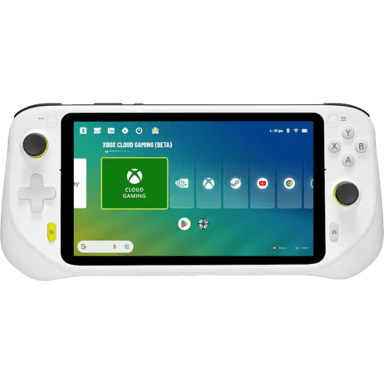

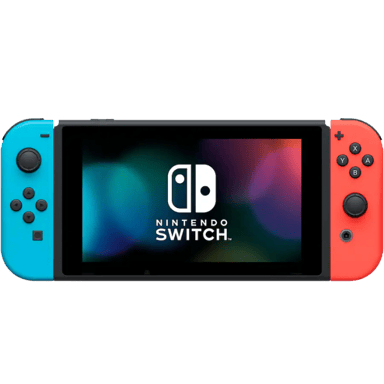
 Recaptor
 0
Cartling
0
Cartling